7
23. PLAY/PAUSE button-Press this button to start or pause playing the disc.
24. PREV button-Press this button to play the previous chapter (for DVD) or track (for CD).
25. NEXT button-Press this button to play the next chapter (for DVD) or track (for CD).
26. A-B button-Press this button to repeat playing sections between two specific points (A-B).
27. REPEAT button-Press this button to repeat playing one chapter or one title or a whole disc
(for DVD) or repeat playing the current track or the whole tracks (for CD).
28. ZOOM button-Press this button to enlarge picture size, max. to X 4 or to shrink picture size,
min. to X1/4.
29. PROGRAM button-Press this button to setup the memory order of chapter or title (for DVD)
or tracks (for CD).
30. SETUP button-Press this button to enter initial settings menu (in DVD mode).
31. OK button-Press this button to confirm what you have selected.
32. Navigation buttons-Press this button to move up, down, left or right.
33. MUTE-To mute the sound.
34. VOLUME- button-Press this button to decrease the volume.
35. VOLUME+ button-Press this button to increase the volume.
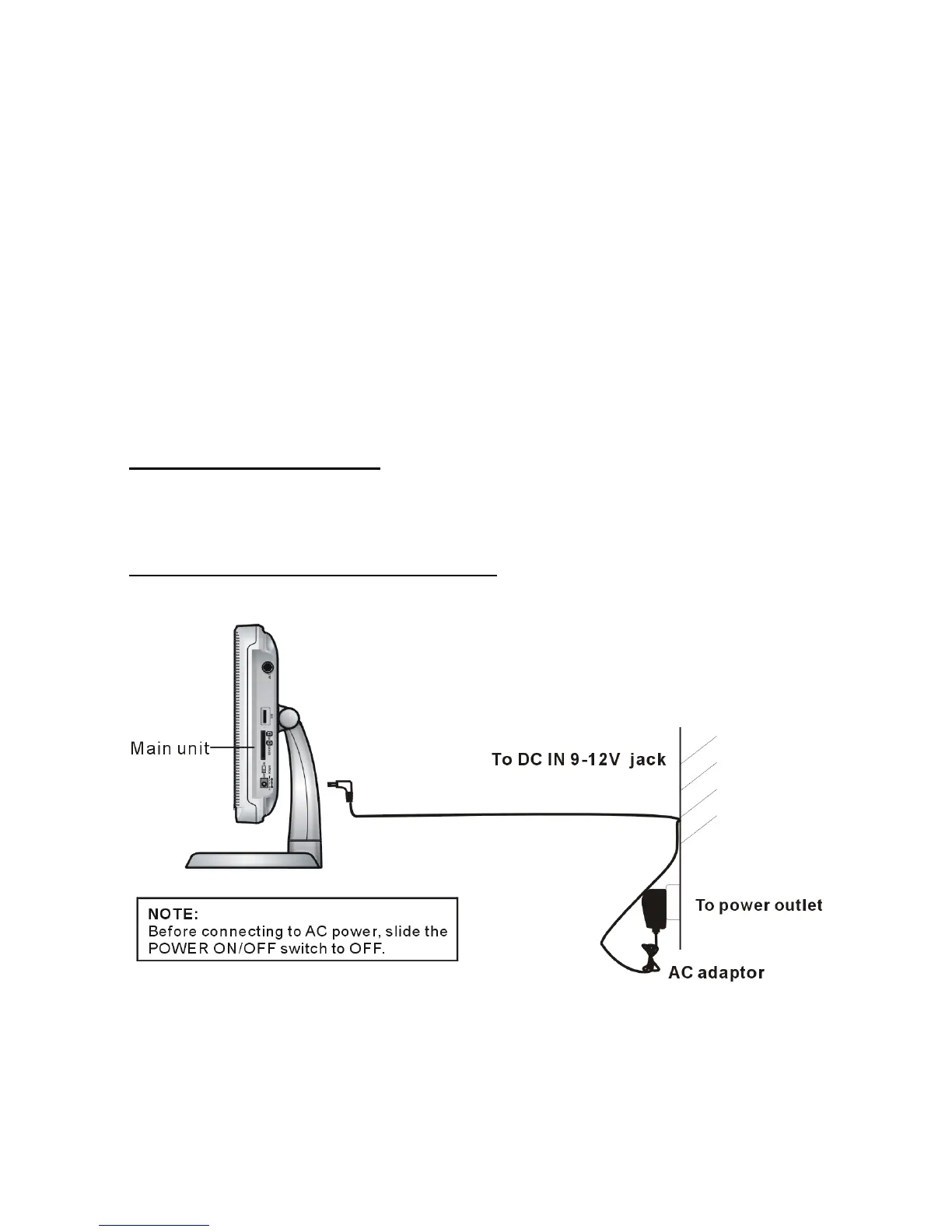
BASIC CONNECTION
z Ensure all the cables are disconnected from the main unit before connecting to AC power
source by AC power adaptor.
z Read through the instructions before connecting other equipment.
1. CONNECTING TO AC POWER SOURCE



 To Next Page