Menu Operations
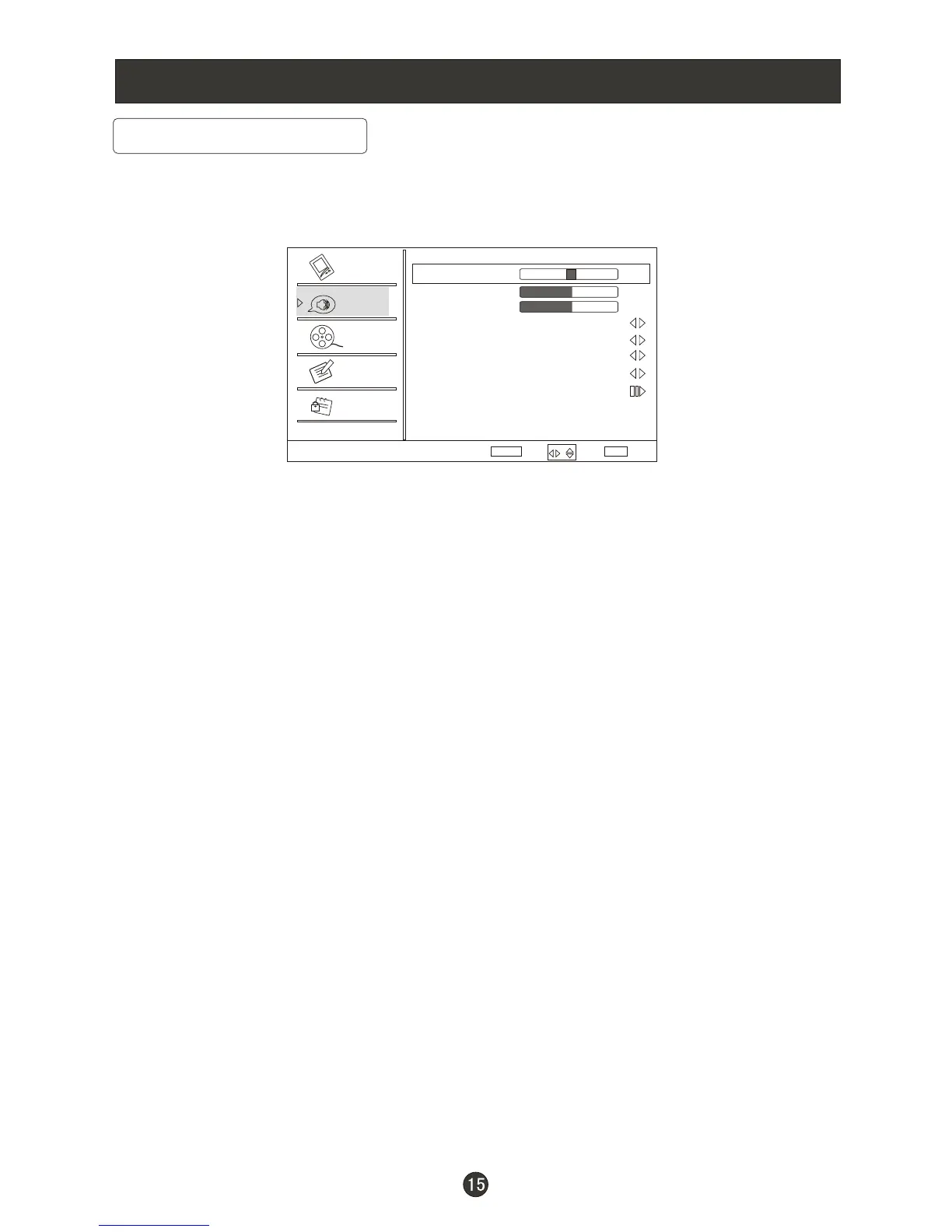
You can adjust sound options to the levels you prefer.
/
2. Press VOL+/ENTER button to enter the Audio menu and CH+ to go up and
down to select the desired option .
3.Press v/ENTER button to confirm and VOL- VOL+ increase and decrease
the level to adjust the selected option to your preference .
4. Repeat step 2 and step 3 until desired audio quality has been achieved .
/CH-
Function :
Balance : Press /CH- button and /ENTER to confirm, then press
to adjust the audio output between left and right speakers.
Bass : Press /CH- button and /ENTER to confirm, then press
to increase or decrease the level of the lower-pitched sounds .
Treble : Press /CH- button and /ENTER to confirm, then press
to increase or decrease the level of the higher-pitched sounds
Sound surround: To turn the simulated surround sound on and off.
Mode : Press /ENTER to select the type of sound which best corresponds to
your lightning requirements by selecting Mode in Audio menu.
Equalizer: To adjust the equalizer: Off, Rock, Pop, Live, Dance, Techno ,
Classic and Soft.
CH+ VOL+ VOL-
VOL+
CH+ VOL+ VOL- VOL+
CH+ VOL+ VOL- VOL+
VOL+
/
/
/
Audio Menu Options
Audio
Balance
Bass
Treble
Sound Surround On
Mode Off
Equalizer Off
AVL Off
Audio Only
0
50
50
Video
Audio
Channel
Lock
Function
Select
BackAdjust
EXIT
ENTER
Sound can be adjusted for any input as follows:
1. Press MENU button and CH+ until the following menu appears on the
screen.
/CH-
/



 To Next Page