Menu Operations
PC Menu Options Continued
3.Press VOL+/ENTER button to confirm and VOL- VOL+ increase and decrease
the level to adjust the selected option to your preference .
4. Repeat step 2 and step 3 until desired quality has been achieved .
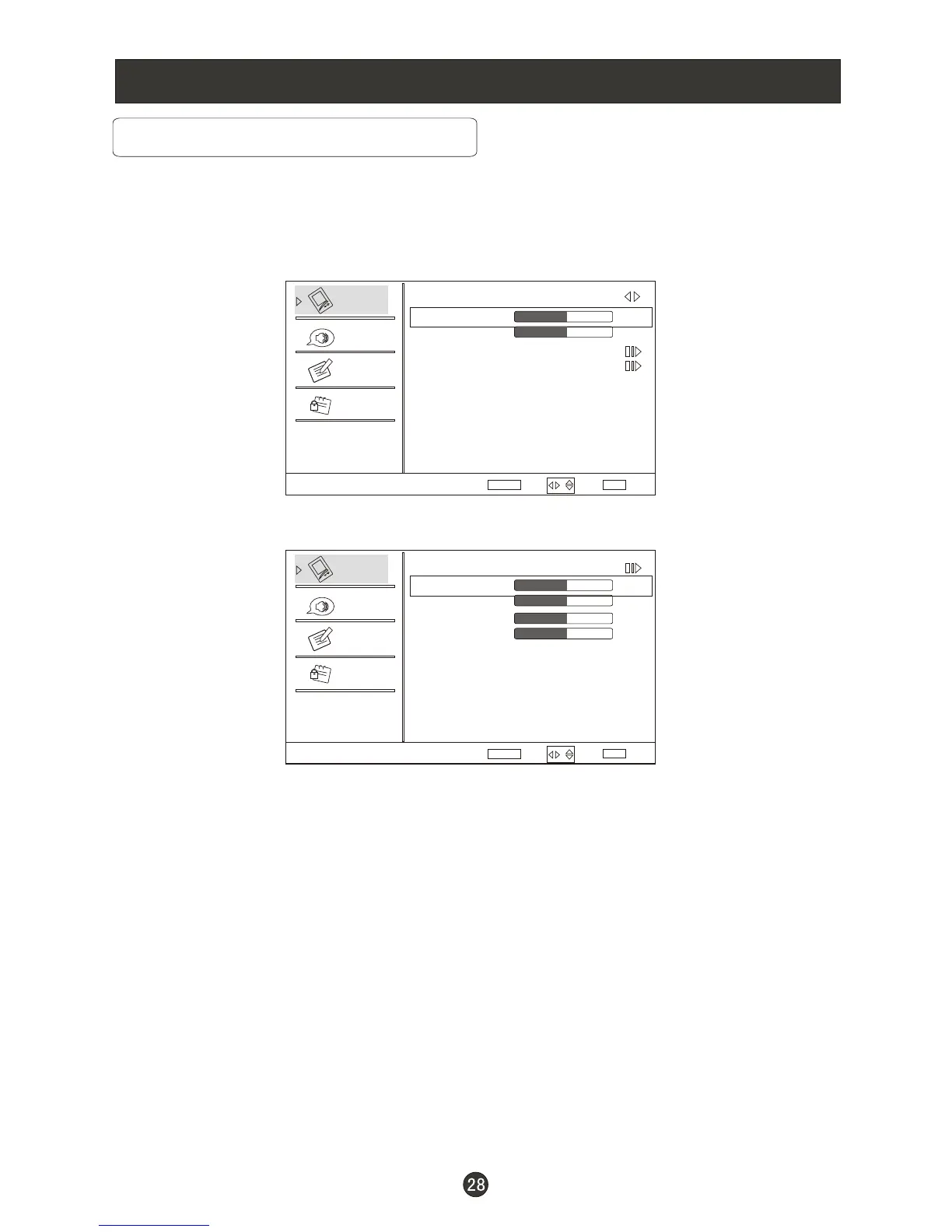
PC: Press CH+ button to select and VOL+/ENTER to confirm, the PC menu
as below:
Auto Sync: Press CH+ button and then press VOL+ to auto adjust that
automatically adjusts the available options for the best viewing configuration.
H Position: Press CH+ button and then press VOL- VOL+ to adjust the
horizontal position of the picture.
V Postion: Press CH+ button and then press VOL- VOL+ to adjust the
vertical position of the picture.
Phase: Press CH+ and then press VOL- VOL+ to adjust the phase of the
picture.
Clock: Press CH+ button and then press VOL- VOL+ to adjust the clock of
the picture.
/
/
/
/
/
/CH-
/CH-
/CH-
/CH-
/CH-
/CH-
Video
Audio
Lock
Function
Video
Mode Custom
Brightness
Contrast
Color Temperature
PC
50
50
Select
BackAdjust
EXITENTER
ENTER
Video
Audio
Lock
Function
PC
Auto Sync
H Position
V Position
Phase
Clock
50
50
Select
BackAdjust
EXIT
50
50
/
/



 To Next Page