Menu Operations
Function Menu Options Continued
BG Opacity: Press VOL- VOL+ to select the opacity for the background color.
Window Color: Press VOL- VOL+ to select according your own preference
Window Opacity: Press VOL- VOL+ to select the edge color according your own
preference.
Default: Press VOL+/ENTER to enter the submenu.
Press VOL- VOL+ to select OK or Cancel then OK to confirm. If OK, the parameter
will return to the factory set.
/
/
/
/
Are you sure?
OK Cancel
Lock Menu Options
Lock
Enter Password
Back
EXIT
Video
Audio
Channel
Lock
Function
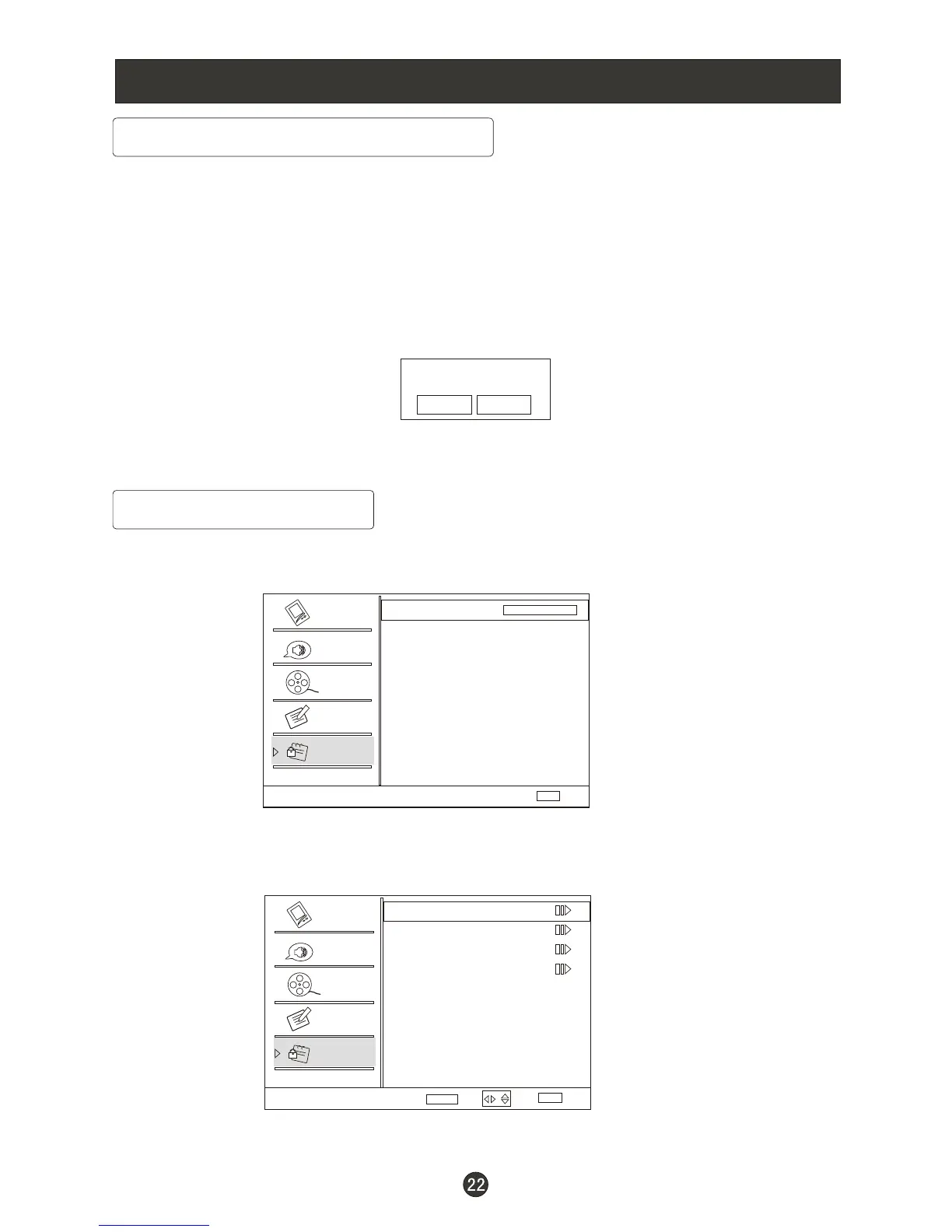
1. Press MENU button and CH+ until the following menu appears on the
screen.
2. Press VOL+/ENTER to enter and then press digits button to input the digits
( The initial password is 0000. If you forget your password, you can always input
9443 to regain control) . The menu will display as follows:
/CH-
Lock
Channel Block
Program Block
Password
Clean All
Select
Back
EXIT
Video
Audio
Channel
Lock
Function
Enter
ENTER
/



 To Next Page