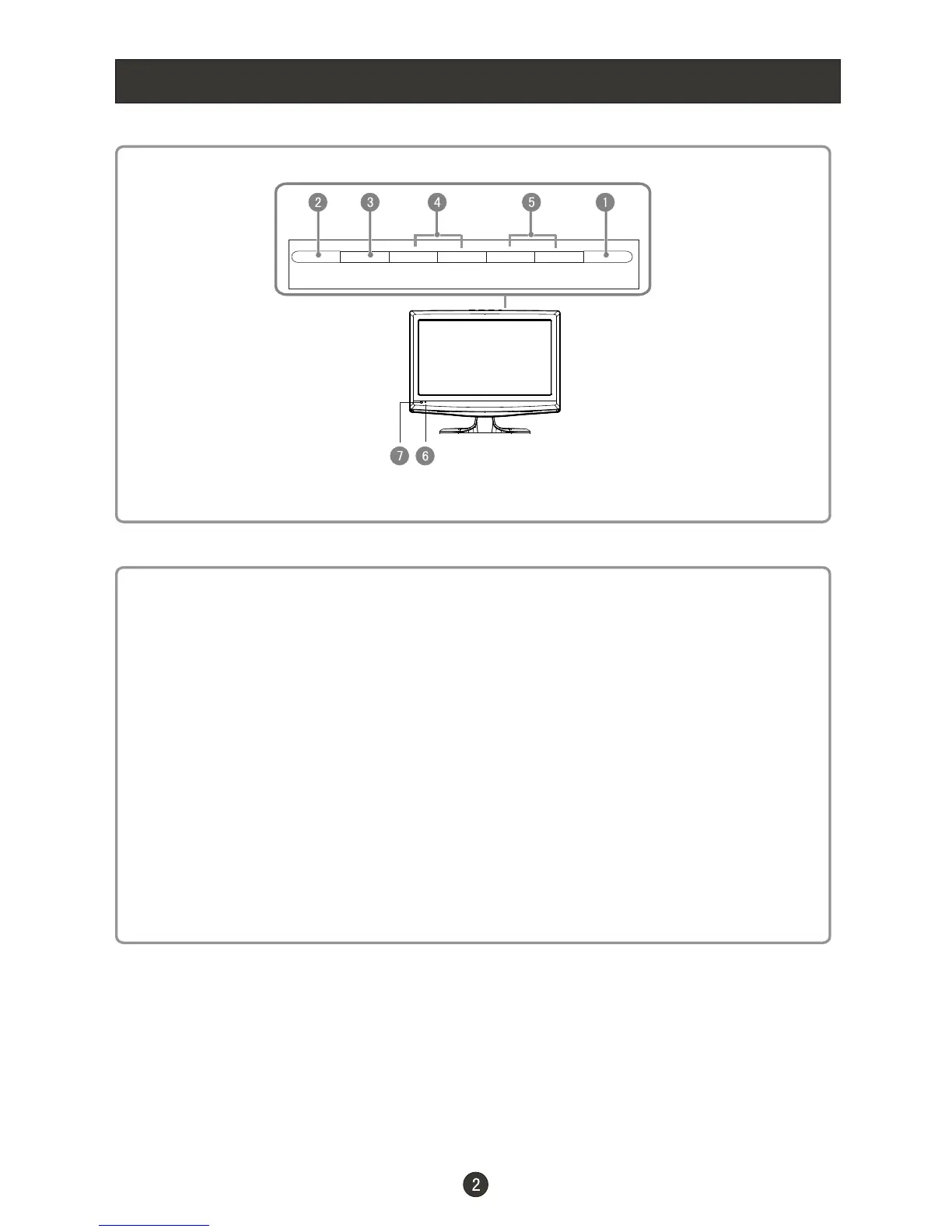
Front Panel Controls
Control Panel Function
1. POWER Press to turn on and off the TV.
2. INPUT Selects the input signals.
3. MENU Menu display. Press to access the on-screen menu display.
4. VOL- Volume down / Left button to adjust the item in the OSD.
VOL+ Volume up / Right button to adjust the item in the OSD
/Press to enter.
5. CH- TV channel down / to select the item in the menu.
CH+ TV channel up / to select the item in the menu.
6. Power indicator
7. Remote Sensor Receivers IR signals from the remote control.
Do not put anything near the sensor ,which may
block the remote control signal.
INPUT MENU VOL- VOL+ CH- CH+ POWER



 To Next Page