Menu Operations
Channel Menu Options
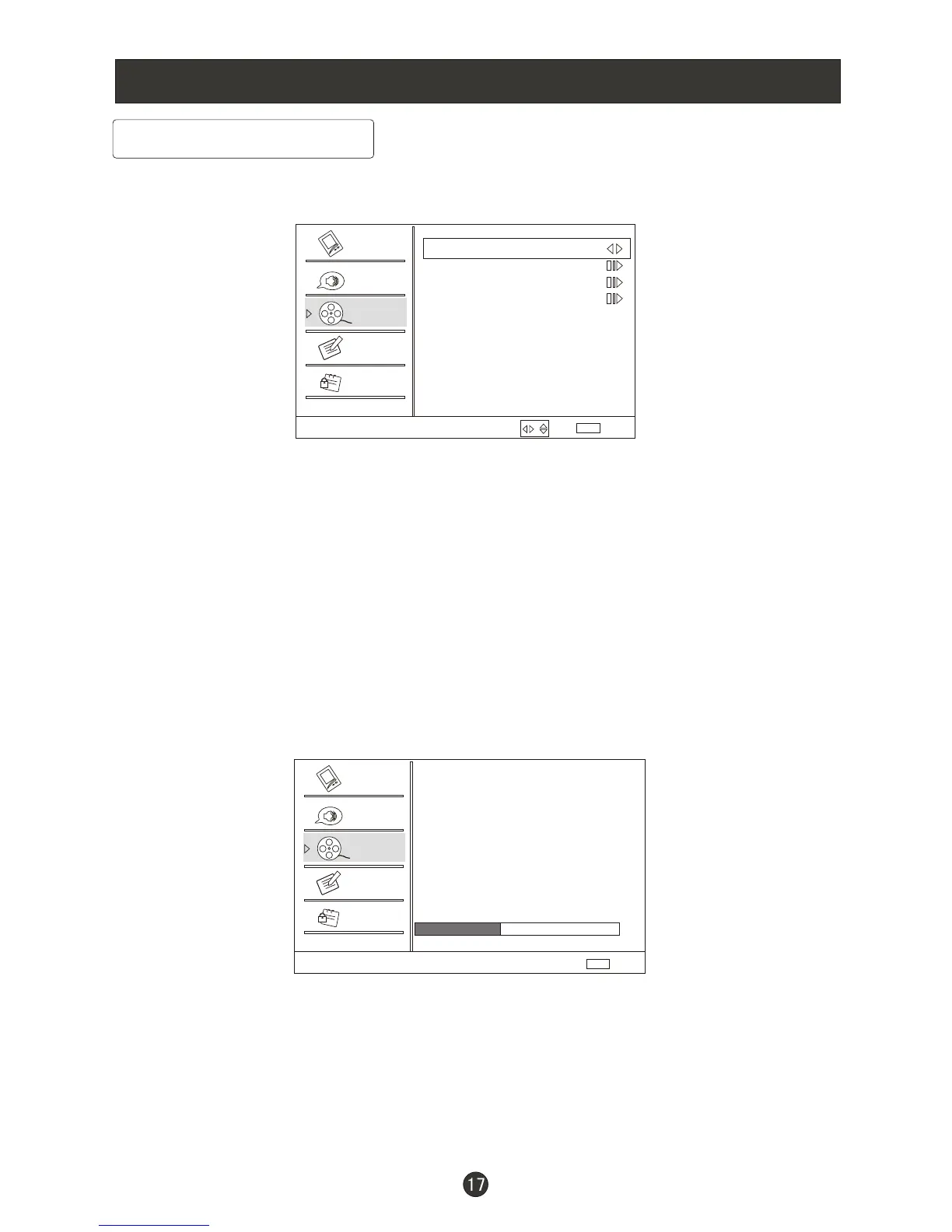
1. Press MENU button and CH+ until the following menu appears on the
screen.
2. Press VOL+/ENTER button to enter the Channel menu and CH+ to go up
and down to select the desired option .
3.Press VOL+/ENTER button to confirm and VOL- VOL+ increase and decrease
the level to adjust the selected option to your preference .
4. Repeat step 2 and step 3 until desired quality has been achieved .
Function:
VOL+ ENTER
VOL+ ENTER
/CH-
/CH-
Tuner : Press / button to select Antenna or Cable .
Channel Scan: Press / button to start to scan, press EXIT to cancel.
All channels now available will be automatically preset in order .After the search
has finished, the first program number will display on the screen. This search
automatically adds only the active channels in your area to the TV's memory. It
deletes any channels on which there is no broadcast or a poor signal. The
channels found are automatically saved.
/
Channel
Channel Scan
Status: Scanning... Antenna
Analog Channels: 4
Digital Channels: 3
Cancel
EXIT
40%
Video
Audio
Channel
Lock
Function
Select
Back
EXIT
Tuner Antenna
Channel Scan
Channel Skip
Channel Label
Video
Audio
Channel
Lock
Function
Note: Channel menu will appear in main menu only in TV mode.
/



 To Next Page