-19-
TV OPERATION
3. [Zoom in]: Zoom in the Photo with scale factor (1×/2×/4×/8×).
Playing Music les
1. Thumbnail of the available music les will be displayed on the screen. If no les are displayed then select the oder
containing the music les.
2. To play particular music le select the required le and press OK key.
3. Press key to play/pause music.
Select and click or button on OSD to play previous or next track.
(
or
key on remote control are not available in music playback mode.
)
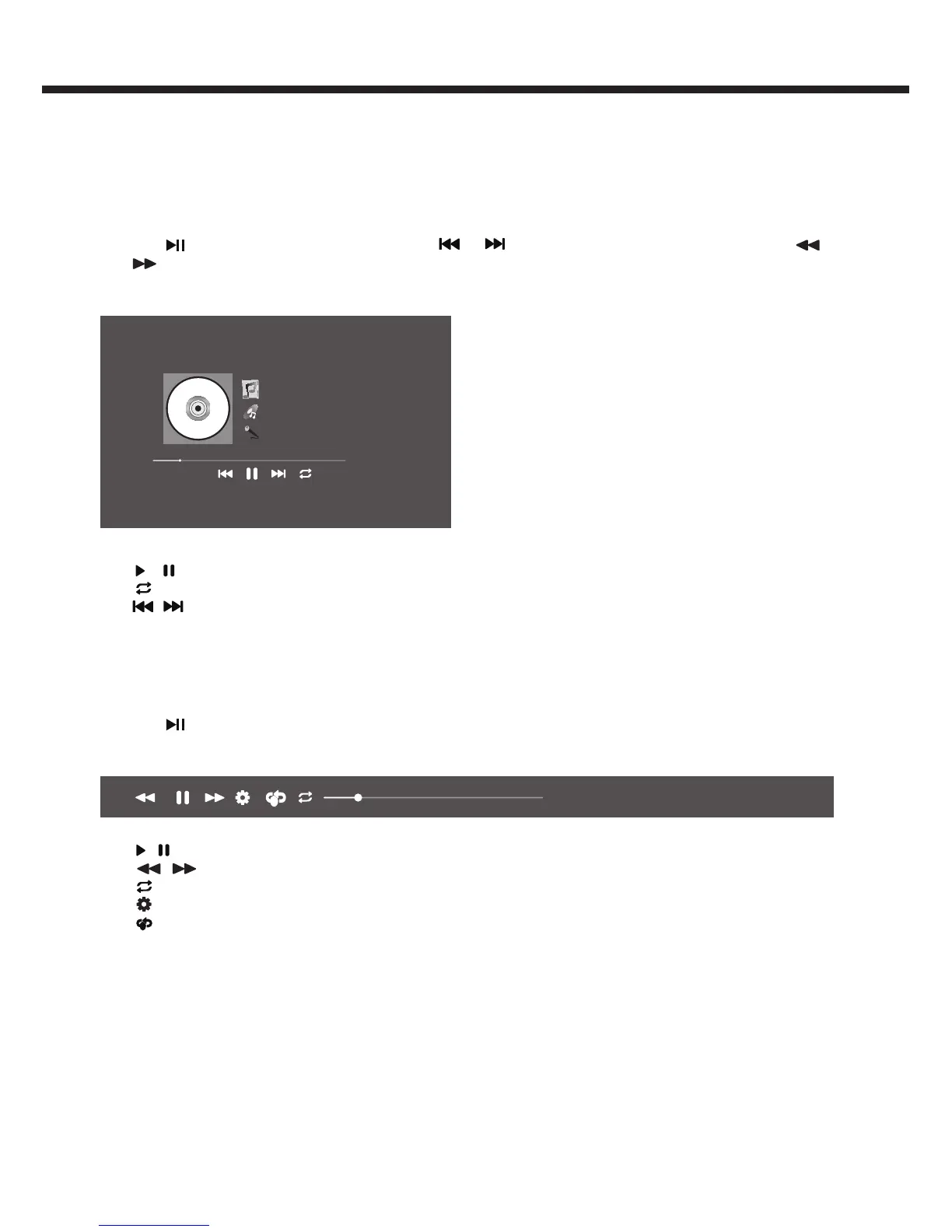
Multimedia settings for Music play
Camino Palmero
The Calling
Wherver You Will Go
00:43/03:22
Following Menu setup shown above.
1. / ( Play/Pause ): Play/Pause music play.
2. ( Repeat ): Select the repeat mode as Random, Repeat One, Repeat All.
3. / ( Previous/Next ): Jump to previous or next music play.
Playing Video les
1. Thumbnail of the available video les will be displayed on the screen. If no les are displayed then select the folder
containing the video les.
2. To play particular video le select the required le and press OK key.
3. Press key to play/pause video.
Multimedia settings for Video play
1x
00:00:14/00:03:26 [MV] GangnamStyle
AB
Following Menu setup shown above.
1. / ( Play/Pause ): Play/Pause movie play.
2. / ( Rewind/Fast Forward ): Rewind/Fast Forward video play.
3. ( Repeat ): Select the repeat mode as Repeat One, Repeat All.
4. ( Settings ) : Enter the settings of Menu.
5.
AB
( AB Repeat ) : Press it to enable or disable A-B section period to repeat video content playback. Do not support
"Repeat", "Settings" and "AB Repeat" in Network device mode.



 To Next Page