- 13 -
3. Screen Overview
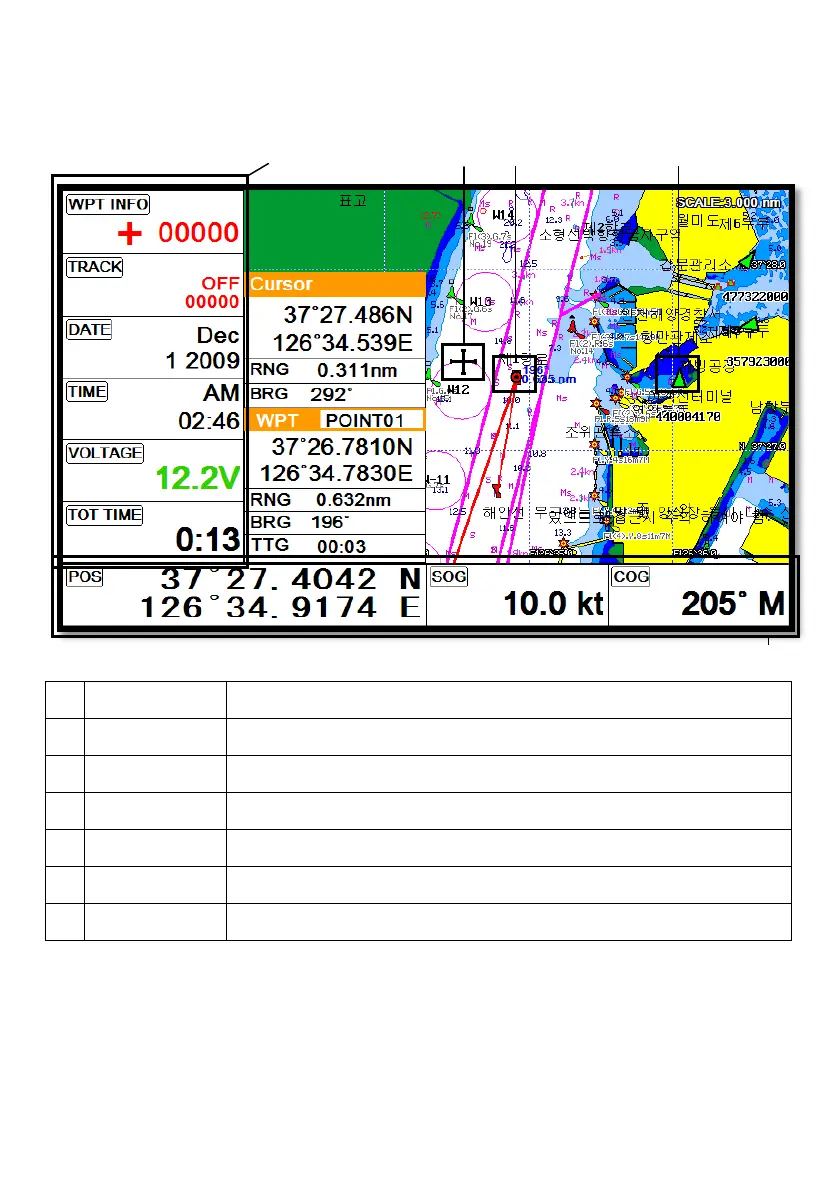
3.1. Chartplotter Page
①
Vessel icon The present position.
②
Cursor Showing the cursor icon.
③
AIS target Showing the received AIS target.
④
Databar Showing various data on the top or bottom.
⑤
Sidebar Showing various data on the right or left.
⑥
Cursor INFO The information of the cursor.
⑦
WPT INFO The information of WPT such as LAT/LOT, Range, etc.
①
④
⑤
③
②
⑥
⑦



 To Next Page