- 38 -
AIS operation
▶[MENU]->AIS
1. AIS On/Off
Turns the display of AIS targets overlay on the screen On or Off.
( ☞ The default setting is On.)
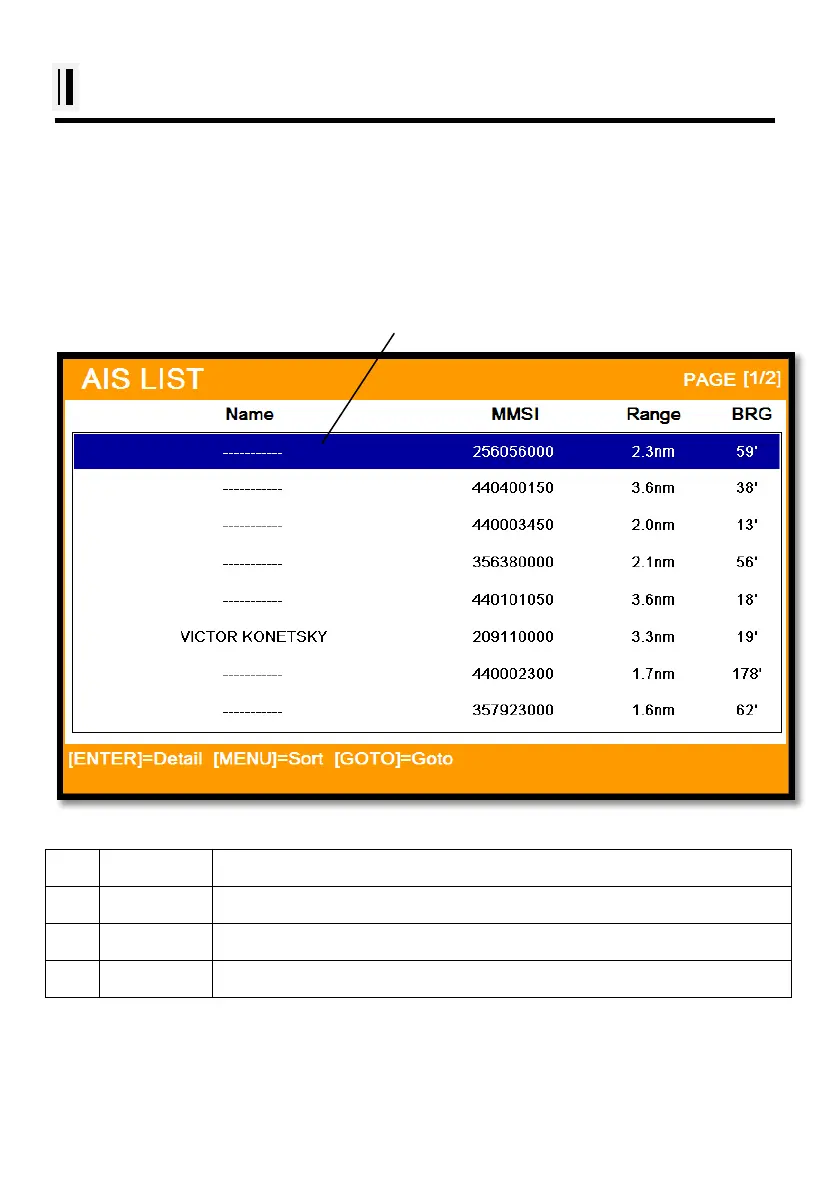
2. List
2.1. List
(Fig.2.4)
①
Name Name of the AIS target
②
MMSI MMSI of the AIS target
③
Range Distance between the AIS target and the present position
④
BRG Bearing between the AIS target and the present position
① ②
③
④
Selected(blue color)



 To Next Page