- 54 -
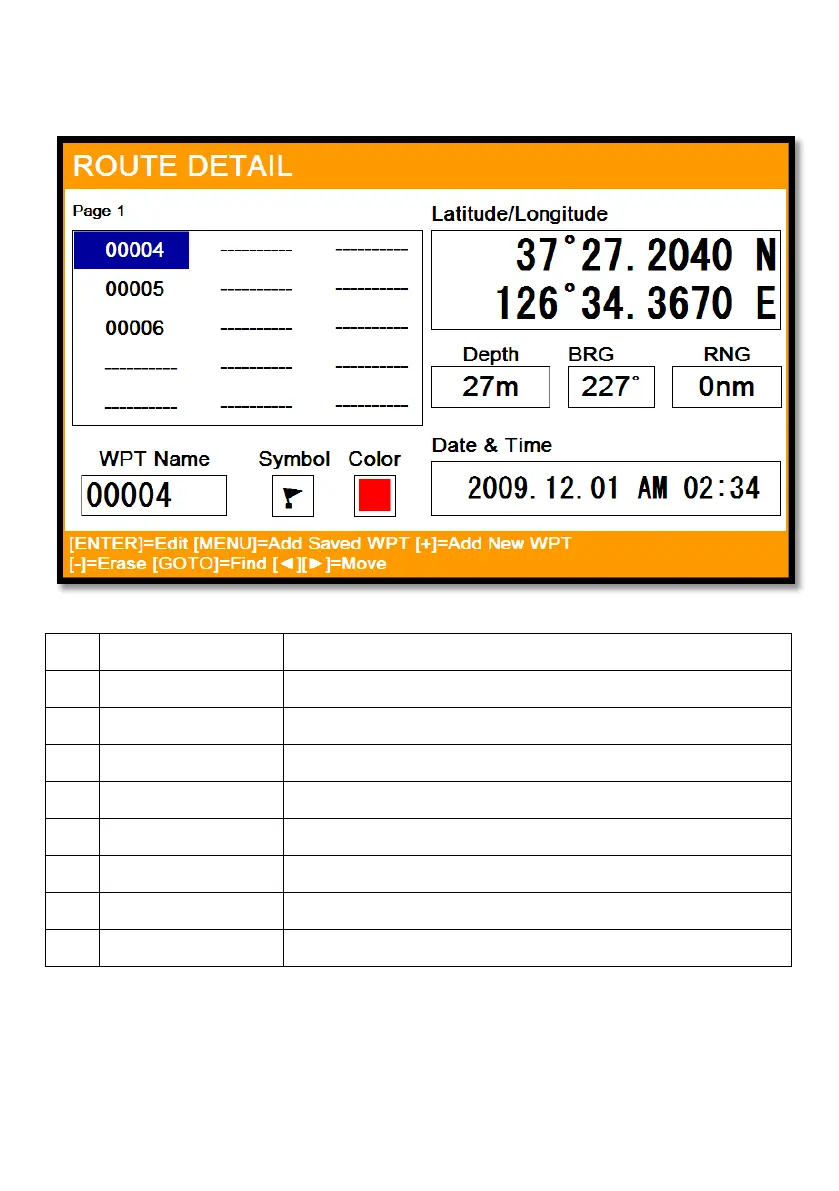
3.2. Route detail
▶[MENU]->Userdata->Route->List->[PAGE]
①
List Showing the stored WPT
②
Name Name of the WPT
③
Symbol Symbol of the WPT
④
Color Color of the WPT
⑤
Latitude/Longitude LAT/LOT of the WPT
⑥
Depth Depth of the WPT
⑦
Bearing Bearing between the WPT and the present position
⑧
Range Distance between the WPT and the present position
⑨
Date & Time Date and time of the WPT when stored
①
②
③
④
⑤
⑥
⑦
⑧
⑨



 To Next Page