- 61 -
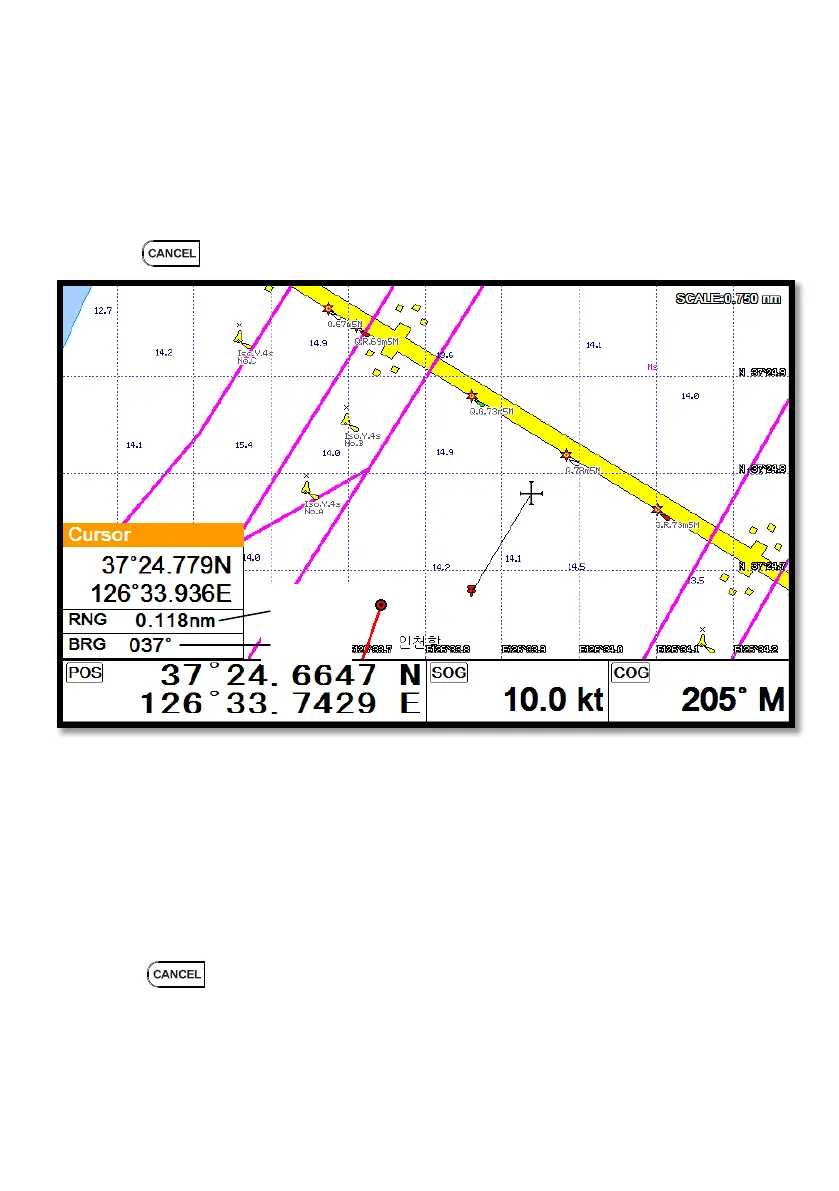
5. Measuring the distance and bearing
Measuring two points, “A” and “B”.
1. Call the cursor and move it on the point, “A”.
2. Move the cursor on the point, “B”.
3. The cursor windows provides the distance and bearing between A and B.
4. Press to exit.
6. User Line
Adding lines directly on the chart.
1. Call the cursor.
2. Press [ENTER] and “User Line” shows.
3. Move the cursor to the beginning point and press [ENTER].
4. Keep moving the cursor and press [ENTER] each time.
5. Press to exit.
A point
B point



 To Next Page