8. PARAMETER SETTINGS
● Entering the parameters
The Hakko 942 has the following four parameters:
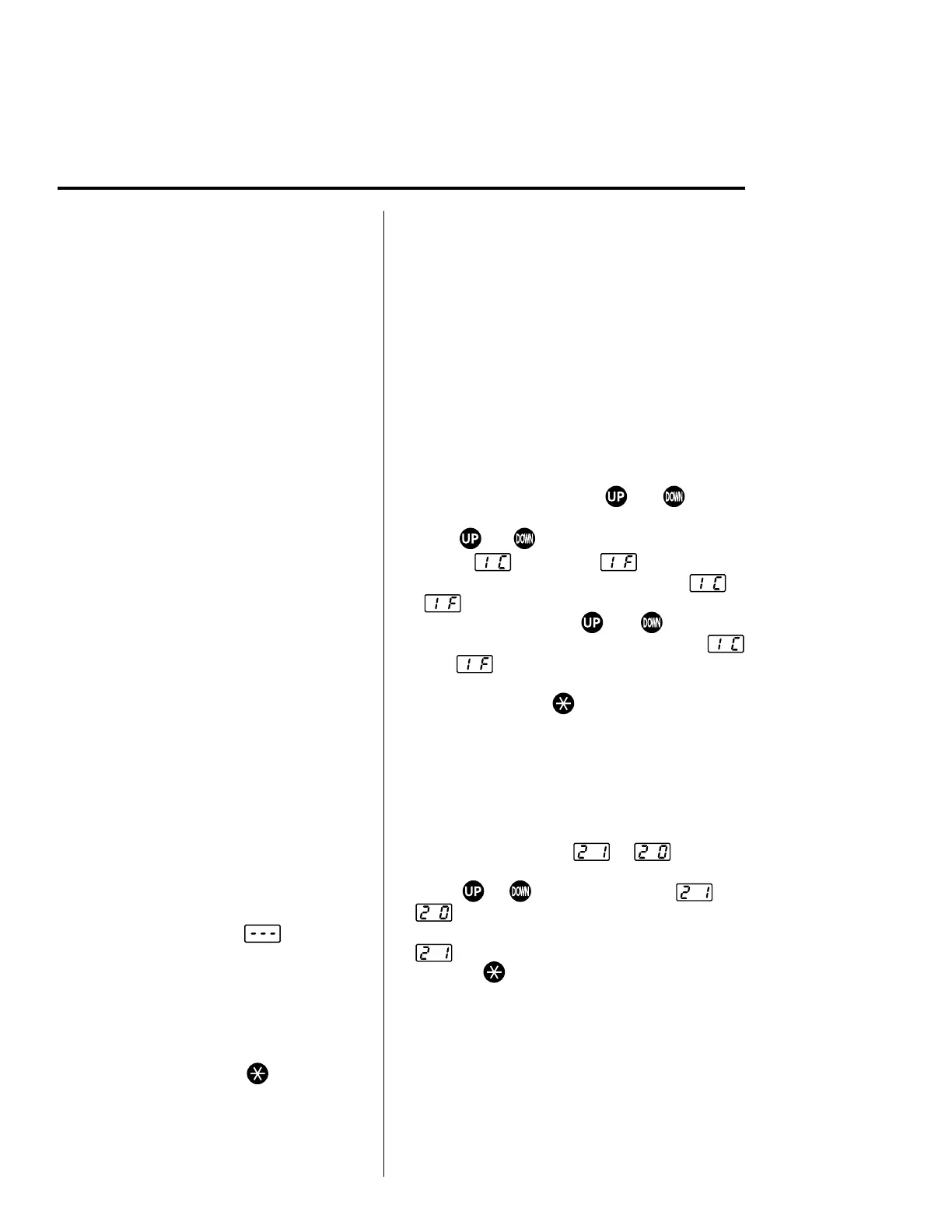
1) °C or °F temperature display selection
2)Auto power shutoff
3) Low-temperature alarm tolerance setting
4) Resetting the supervisor/operator control setting
Once the station enters parameter mode, set the
parameters in the order shown below. After all the
parameters have been set, normal operation will
be resumed.
(1)°C or °F temperature display
1.Turn power OFF.
2.Insert the control card into the card slot in the
front of the unit.
3.Press and hold down the and buttons
simultaneously, and then turn power ON.
4.Hold and buttons down until the display
shows (Celsius) or (Fahrenheit).
When either the display shows either or
, the station is in parameter input mode.
•Pressing either the and button will
cause the display to alternate between
or .
•When the desired scale is displayed, select
by pressing the button. The system will
automatically sequence to auto power
shutoff mode.
(2)Auto power shutoff
This is an optional setting. When it is
activated and the soldering iron is not used
for 30 minutes, the power to the heating
element is shutoff automatically and the
buzzer will sound three times. When the
temperature decreases to 100°C/200°F
the display will show . To begin
soldering, cycle the power switch OFF,
then ON. The power will be turned on if
you hit any button before the temperature
decreases to 100°C/200°F.
To bypass this procedure and continue to
resetting the low temperature alarm
tolerance setting press the
button once.
To change the auto power shutoff setting, the
procedure is as follows.
•The display will show
or when this
mode is entered.
•Using
or button will change and
.
The auto power shutoff is operational only when
is selected.
•Press the
button to enter the parameter. This
will store the auto power shutoff setting in
system memory. The system will automatically
sequence to the low temperature alarm
tolerance setting.
10










 To Next Page