ADMINISTRATOR MANUAL
07
PAGE
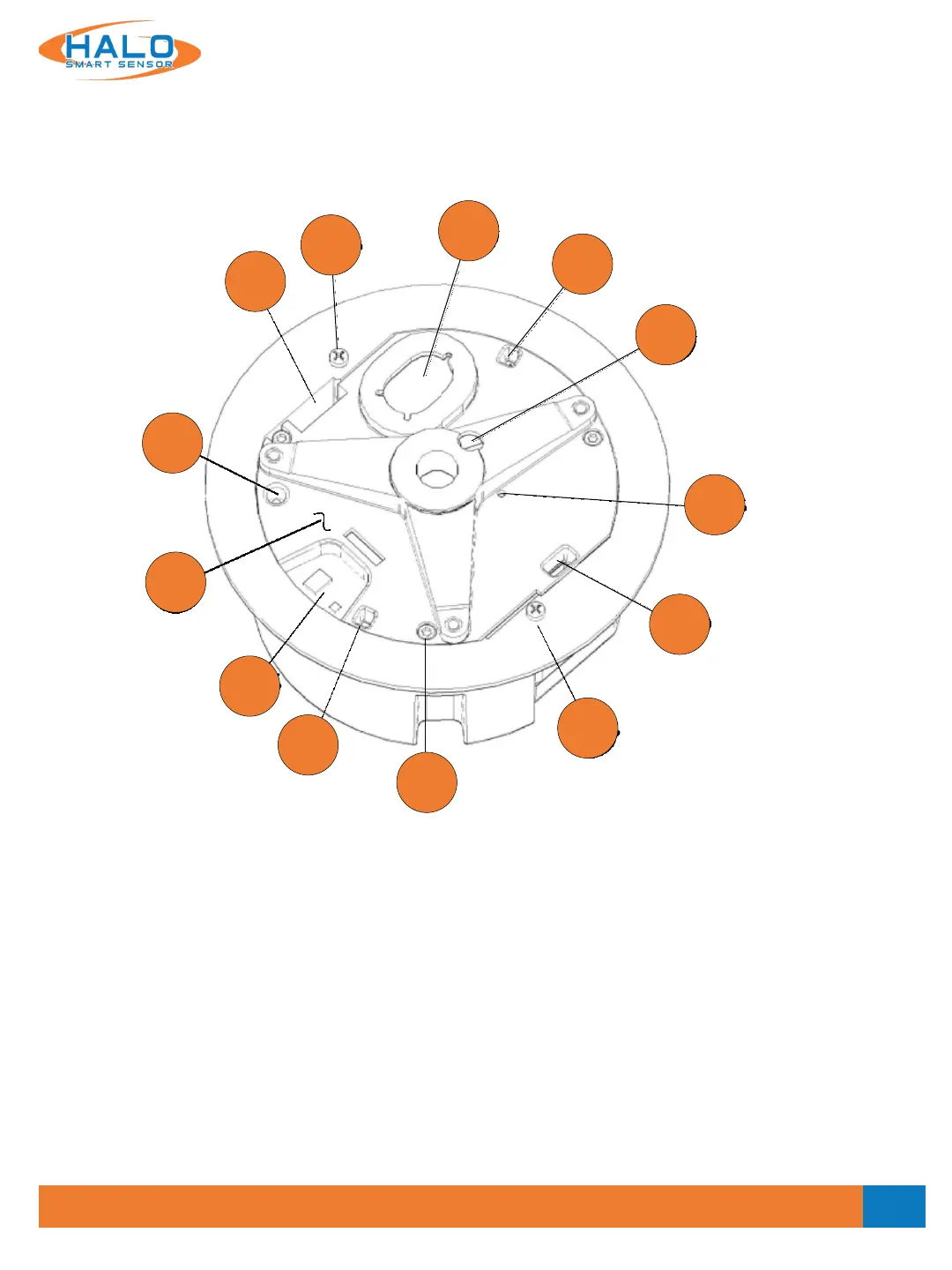
Outer Cover Removed
The outer cover must be removed (by removing the three T10 TORX screws [5] with the provided wrench)
during installation and to perform a manual factory reset. The figure below shows details exposed when the
Outer Cover is removed.
7. Light Sensor on PC board
8. Microphones
9. Loudspeaker
10. Particle air intake port
11. Particle air exhaust port
12. Temperature and Humidity sensor
13. Clamping screws
14. Inner cover mounting screws (3)
15. Gas Sensors
16. Reset button on PC board
17. Inner Cover
11
12
17
15
8
13
13
9
8
7
16
10
14
V2.2 - 9/09/2020


 To Next Page