25
7.6.1 Example Display
• When the Save Settings button is pressed and held for 5 seconds the setting values in the current mode will become the new default values for those settings.
7.7 ADVANCED SETTINGS Mode
• The ADVANCED SETTINGS mode is accessible only from the STANDBY state.
• This state is entered by simultaneously pressing the upper-right Setting Adjustment Key [W] and the lower-left Mode Select Key.
Displays and Indicators
PARAMETER STATUS DESCRIPTION
RF/Stimulus Output
OFF
RF power is not delivered during the ADVANCED SETTINGS mode.
FAULT Indicator (The FAULT indicator is used only in the POST and SYSTEM FAULT states.)
RF/Stimulus Output ON/OFF Indicator The indicator is not illuminated during the ADVANCED SETTINGS mode.
Audio Output Tone sounds briey when saving settings.
Saving and Exiting
SAVE SETTINGS** Settings are stored, and the system transitions to the STANDBY mode.
CANCEL The system transitions to the STANDBY mode without updating the settings.
** Defaults are factory-set, and are overwritten when the SAVE SETTINGS function is used.
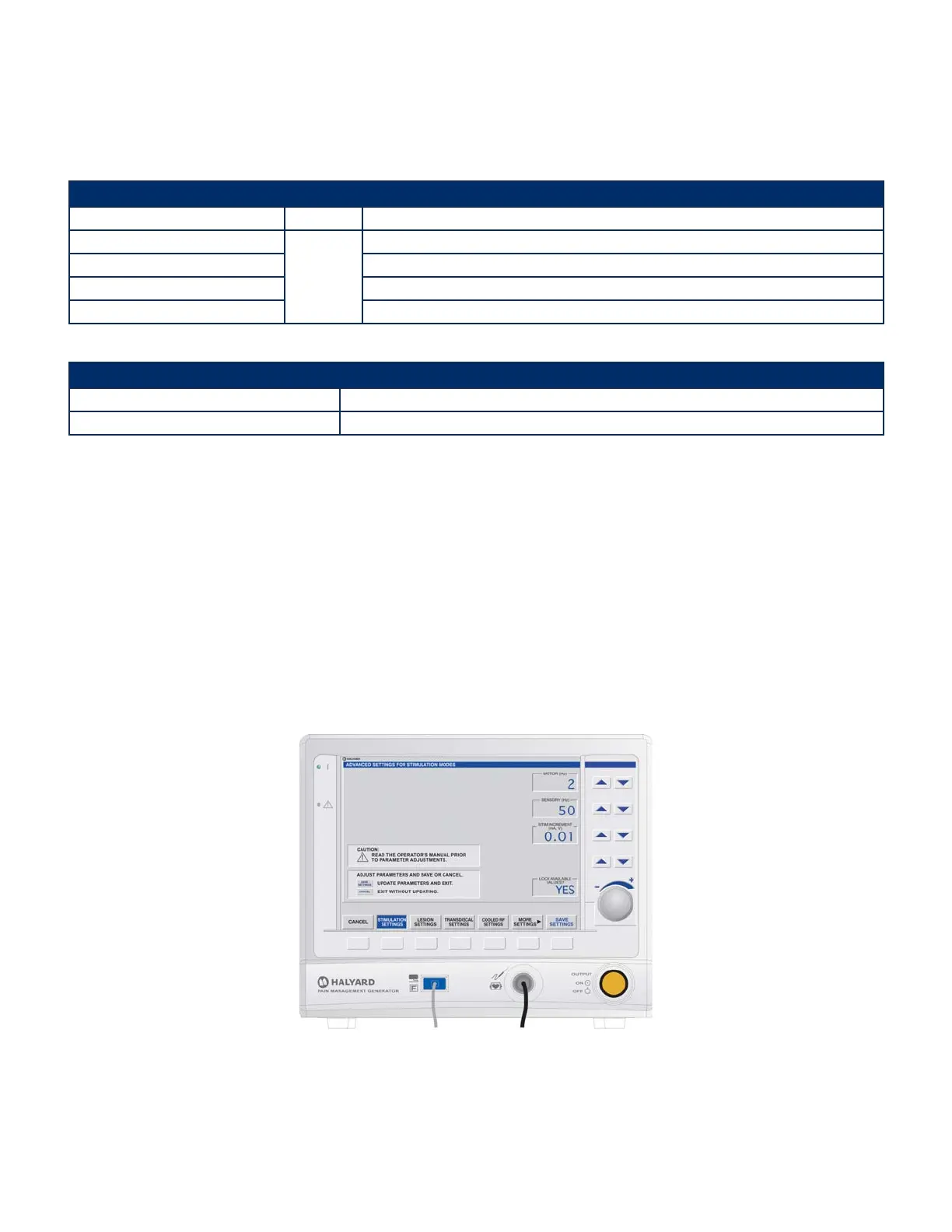
7.7.1 ADVANCED SETTINGS Mode – STIMULATION SETTINGS State
When the ADVANCED SETTINGS mode is accessed, the Generator displays the default STIMULATION SETTINGS screen. Settings on this screen apply to both VOLTAGE and CURRENT
STIMULATION.
• This mode allows the user to limit the quantity of selectable values in Stimulation Modes to two frequently used values.
• The stimulation rates may be adjusted to toggle between two values that are frequently used during treatment. The user may dene these values here: MOTOR and
SENSORY. If the LOCK AVAILABLE VALUES parameter is set to YES, it allows the user to toggle between the MOTOR and SENSORY stimulation rates. If it is set to NO, the user
can view all values available for stimulation rates.
• The value stored in MOTOR is the default value upon entering Voltage or Current Stimulation Mode.
• If LOCK AVAILABLE VALUES is set to NO, and the user selects SAVE SETTINGS from either the Voltage or Current Stimulation Mode, MOTOR and SENSORY will be overwritten
with the saved values.
• Since the VOLTAGE STIMULATION and CURRENT STIMULATION modes are available from the COOLED RF AUTO TEMP READY and TRANSDISCAL TREATMENT READY modes,
any changes made to the VOLTAGE STIMULATION and CURRENT STIMULATION modes through ADVANCED SETTINGS also aects the VOLTAGE STIMULATION and CURRENT
STIMULATION modes when accessed through COOLED RF and TRANSDISCAL modes.
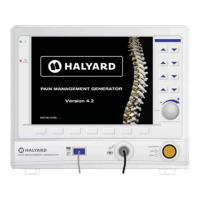
Figure 7-22 ADVANCED SETTINGS Mode – STIMULATION SETTINGS Display
Avanos Exhibit 2069 Page 25
Medtronic, Inc. v. Avanos Medical Sales, LLC
Case IPR2020-0089


 To Next Page