Hanwell Smart Receiver 2 (SR2)
Instruction Manual
IM6001 - 3 Page 20 of 22
hanwell.com
Appendix 2 - Setting up an SR2 with an IP Address for
use with EMS or Synergy
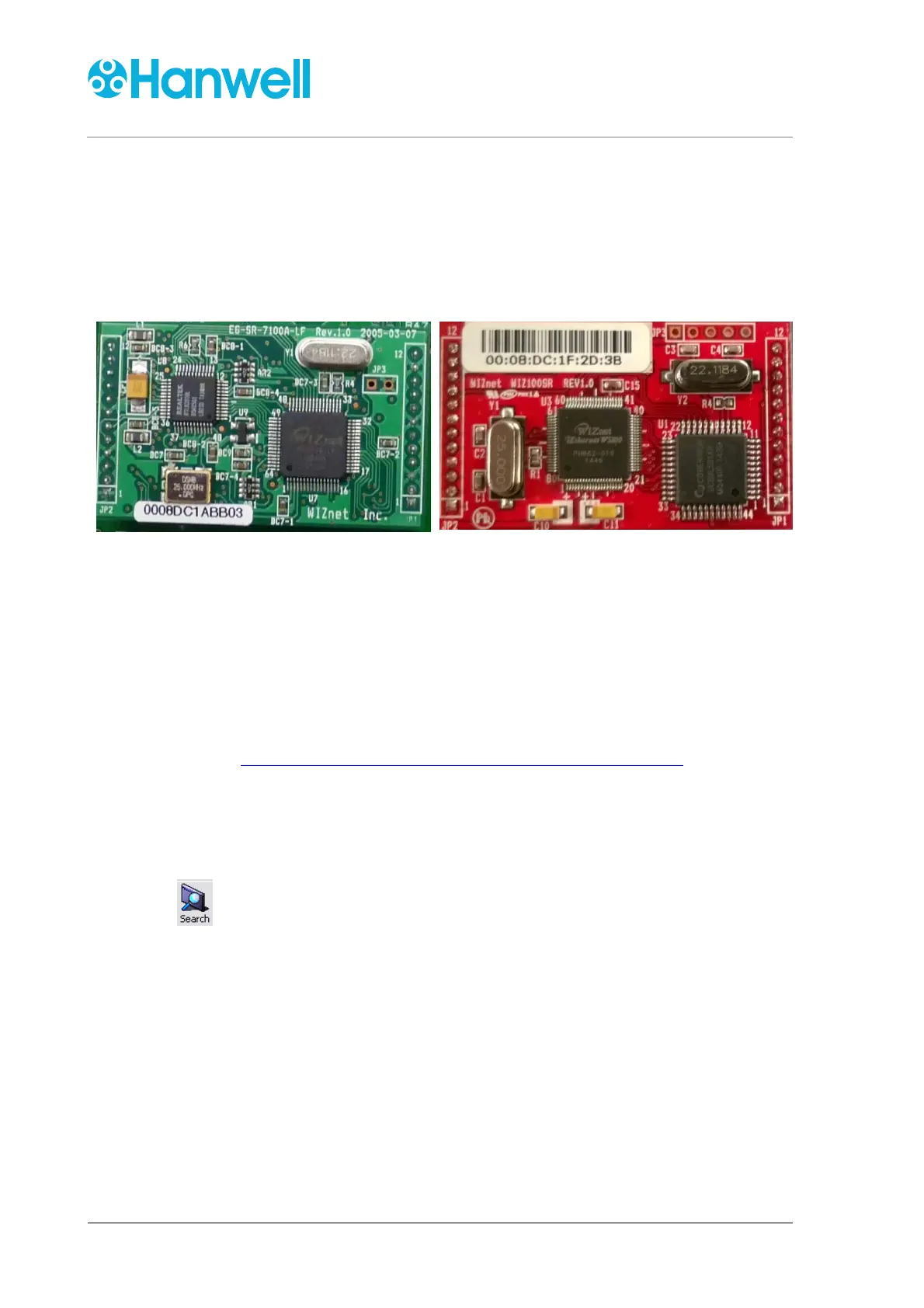
Wiznet PCBs installed in SR2s
Figure 7
Figure 8
SR2 Serial Numbers starting 0415 or
earlier
SR2 Serial Numbers starting later than 0415
To set up an SR2 for use with EMS or Synergy:
1. Download the Wiznet Configuration Utility from:
www.supportftp.Hanwell.com/Utilities/SRNetworkConfig.zip
Note: The PC you download the Utility to must be on the same LAN as the SR2 being
setup.
2. Run the Utility.
3. Click on the Configuration Tool toolbar to populate the Board List.
4. Highlight the Mac address from board list on the left. See Figure 9 below.


 To Next Page