Instructions for installation and use p. 12/15
7. Operation
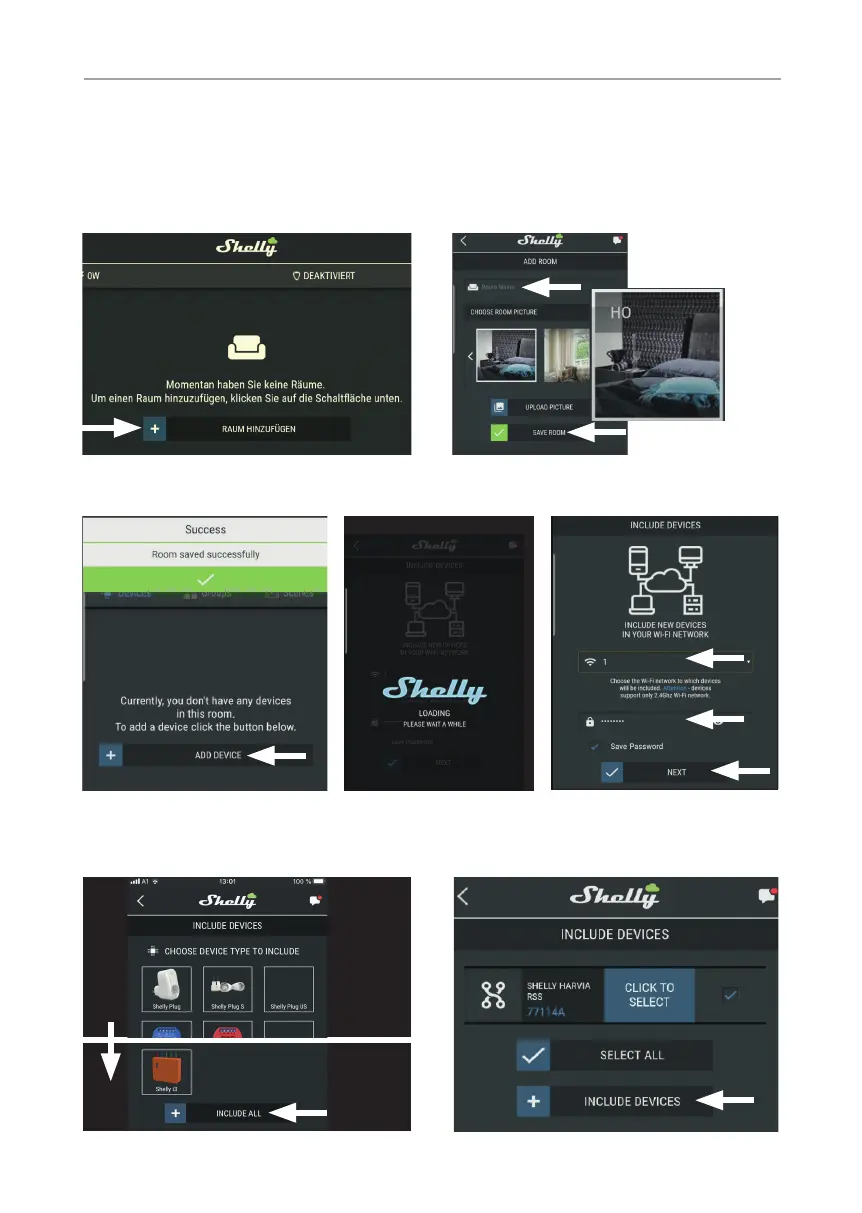
After registration, you create a room.
Room name (e.g: sauna) and assign an image to the room. A photo from your
gallery can also be used as a picture.
Press Add device and start searching for a new device.
Follow the instructions on the device (enable location access, select WiFi, enter
password, etc.). The devices (mobile phone and remote start system) must be
part of the same network.
IOS Android


 To Next Page
 Loading...