Page 16
BCS6000C-9
APPENDIX A: OPERATOR INTERFACE SCREENS
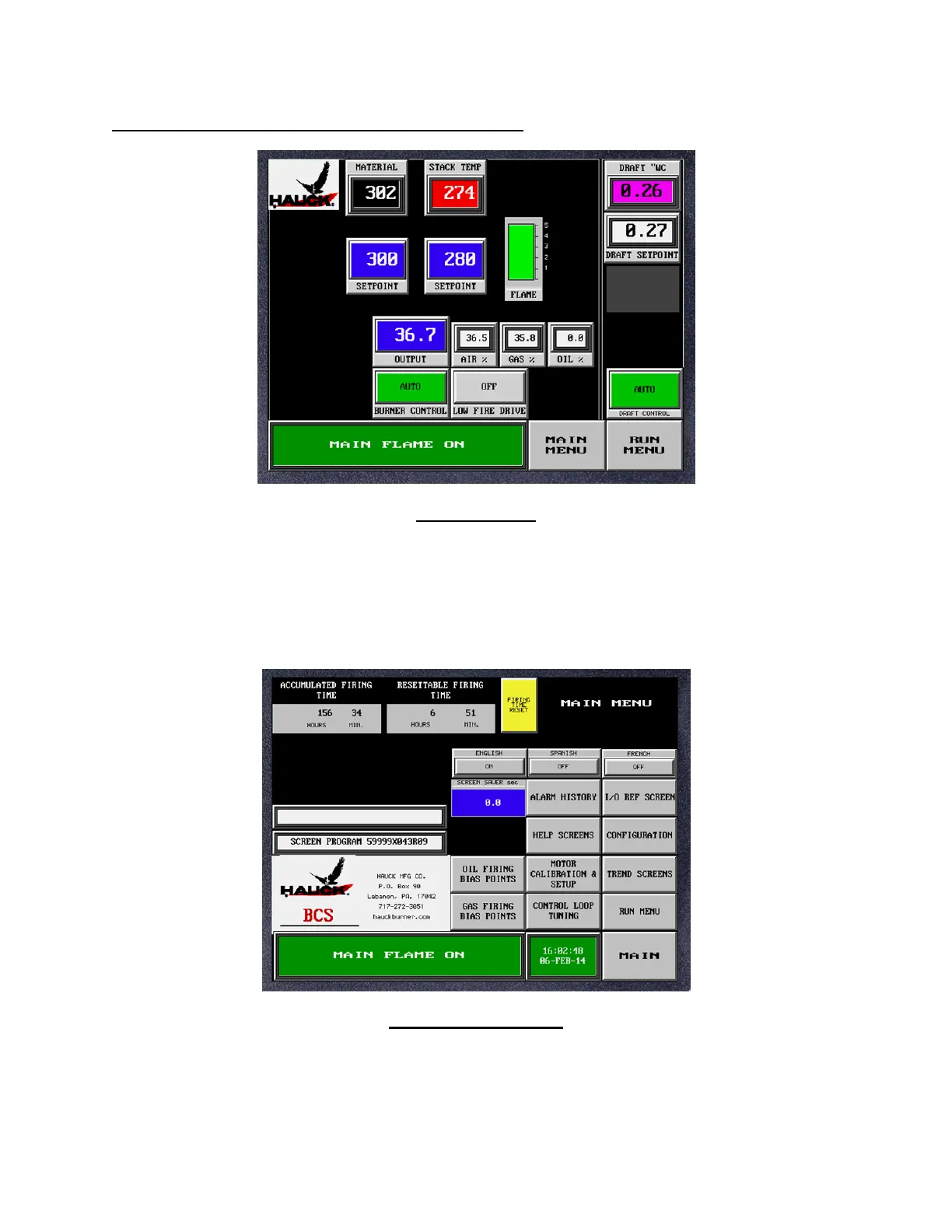
MAIN SCREEN
This screen displays overall system status and is the default screen on system power-up. It
provides AUTO/MANUAL control selection and setpoint inputs for the temperature control loops.
Note that the message box in the lower left corner of the screen appears on all screens to
provide the operator with system status messages. The MAIN MENU and RUN MENU buttons
provide quick access to other screens. Indicators below the MATERIAL and STACK
temperature readouts indicate which thermocouple is being used for control.
MAIN MENU SCREEN
Used to access other screens. Also provides language selection and accumulated and
resettable (daily) firing times. If the system is equipped with the fuel flow option, totalized fuel
usage is also displayed. Record the PLC and screen program numbers that appear on this
screen as they will be required if service is requested.


 To Next Page