14
Menu Access
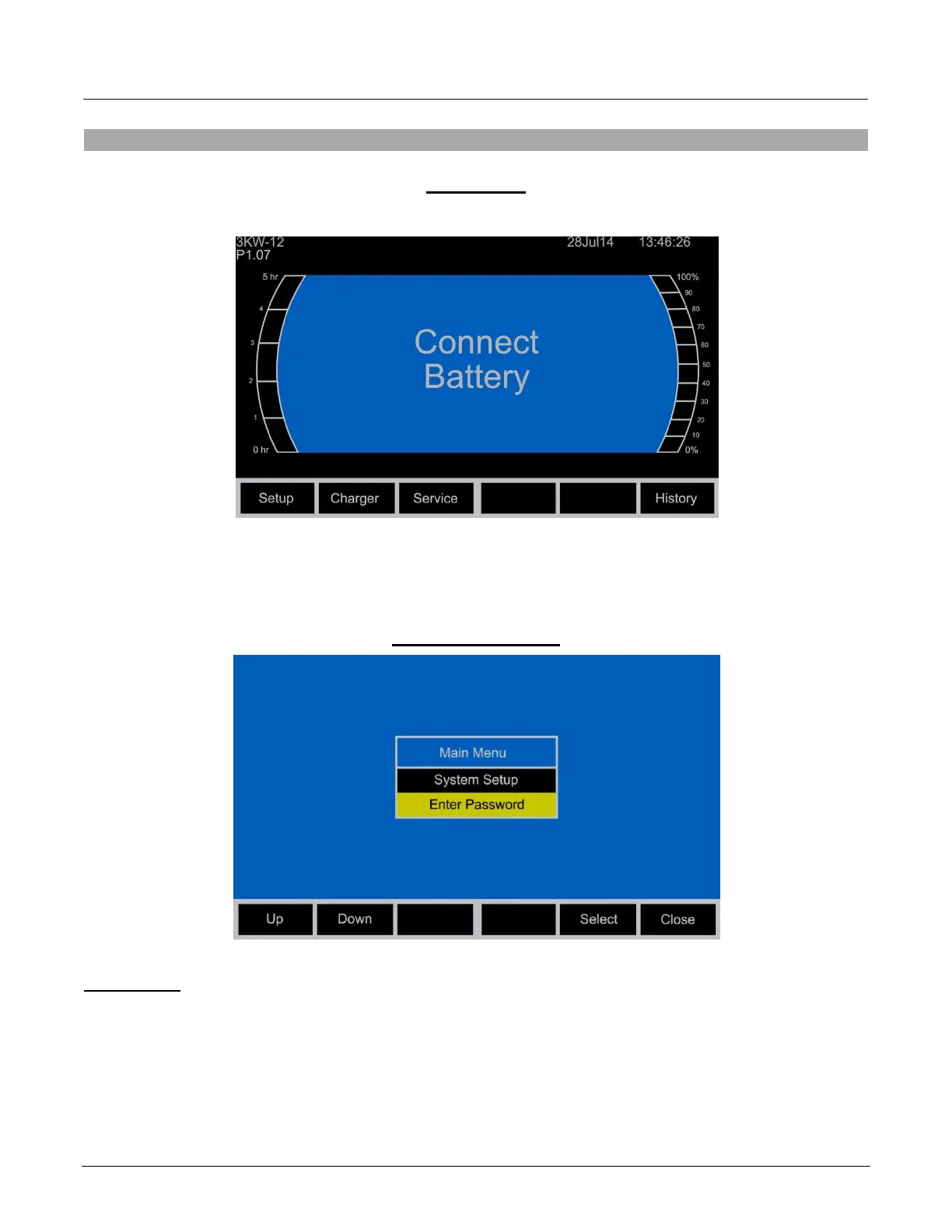
Idle Screen
When the charger is idle, select Setup, the Main Menu is then displayed. The main menu is
automatically exited after 120 seconds of inactivity or can be exited voluntarily by pressing the
Close button.
Main Menu Display
Main Menu
All menus are accessed from Main Menu. The menus that require a password are not displayed
until the correct password has been entered.
1. Select a menu option using the Up/Down navigation buttons.
2. Display the highlighted menu screen by pressing the Select navigation button.
3. Return to the main menu by pressing the Close button.
System Setup



 To Next Page