28
Module Status Display
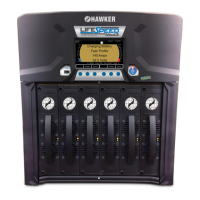
This displays the status of each module installed in the charger. From main menu, press
Charger button, then press Modules button. If is displayed under the module (shown as
Module 1 below), this indicates the module is operating properly. If is displayed under
the module, this indicates a fault. Contact your servicing agent.
Info
Displays details about each module installed.
Module LED Status
The modules have LED indicators on the front. These can be observed to determine the
status of that particular module:
Flashing Green: Module in Standby
Solid Green: Module in Use
Red: Module Fault
No LEDs: Module Fault (assuming not in energy saver mode)



 To Next Page