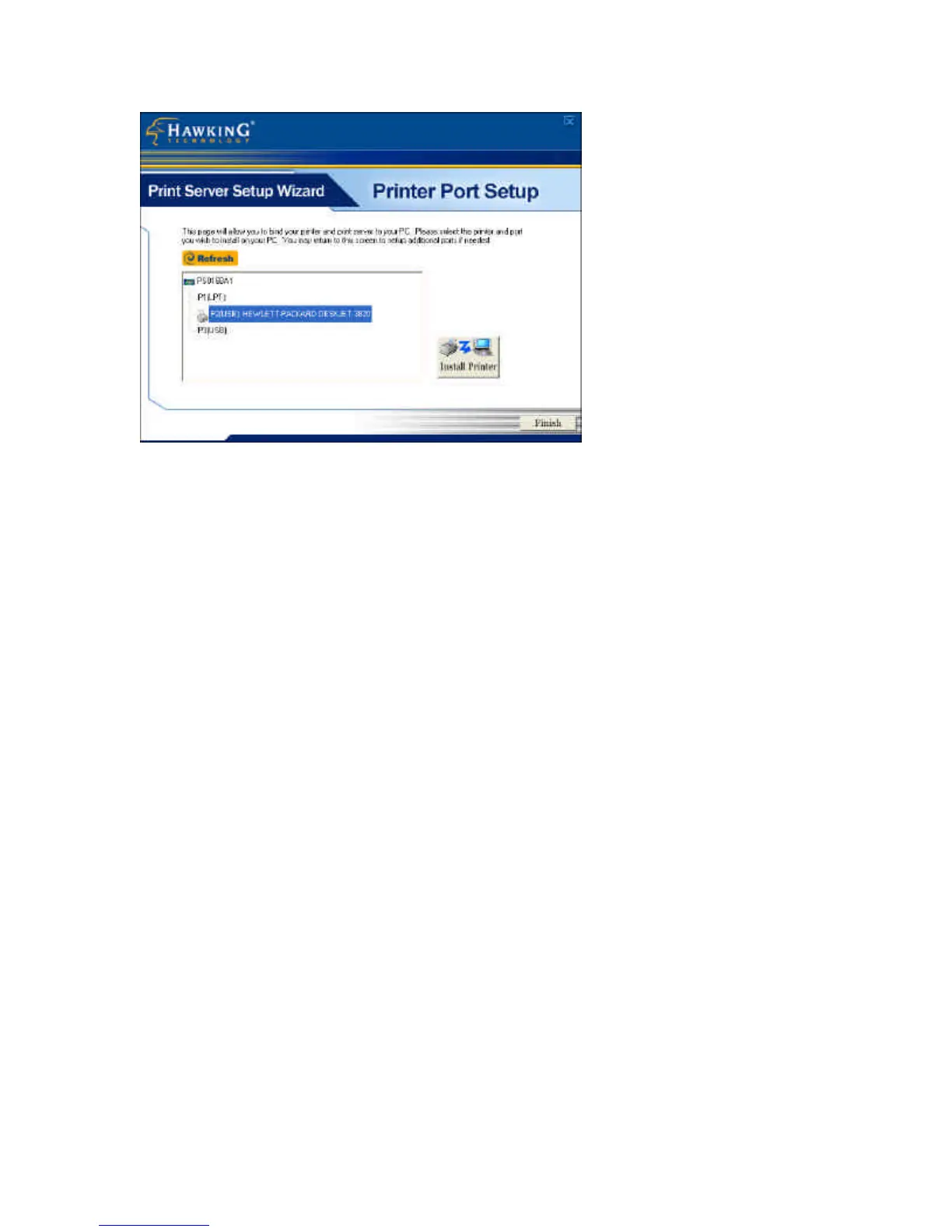
Please select the appropriate printer you wish to connect to the
print server and press the “Install Printer” button.
22. The “Install Printer” pop up window will guide you in
installing your printer driver and binding it to your print server.
This window gives you two selection options. You may install
a new printer driver to your system or you may select your
printer driver from the existing list of printer drivers currently
on your system.


 To Next Page
 Loading...