7.3 Status - Print Server Status
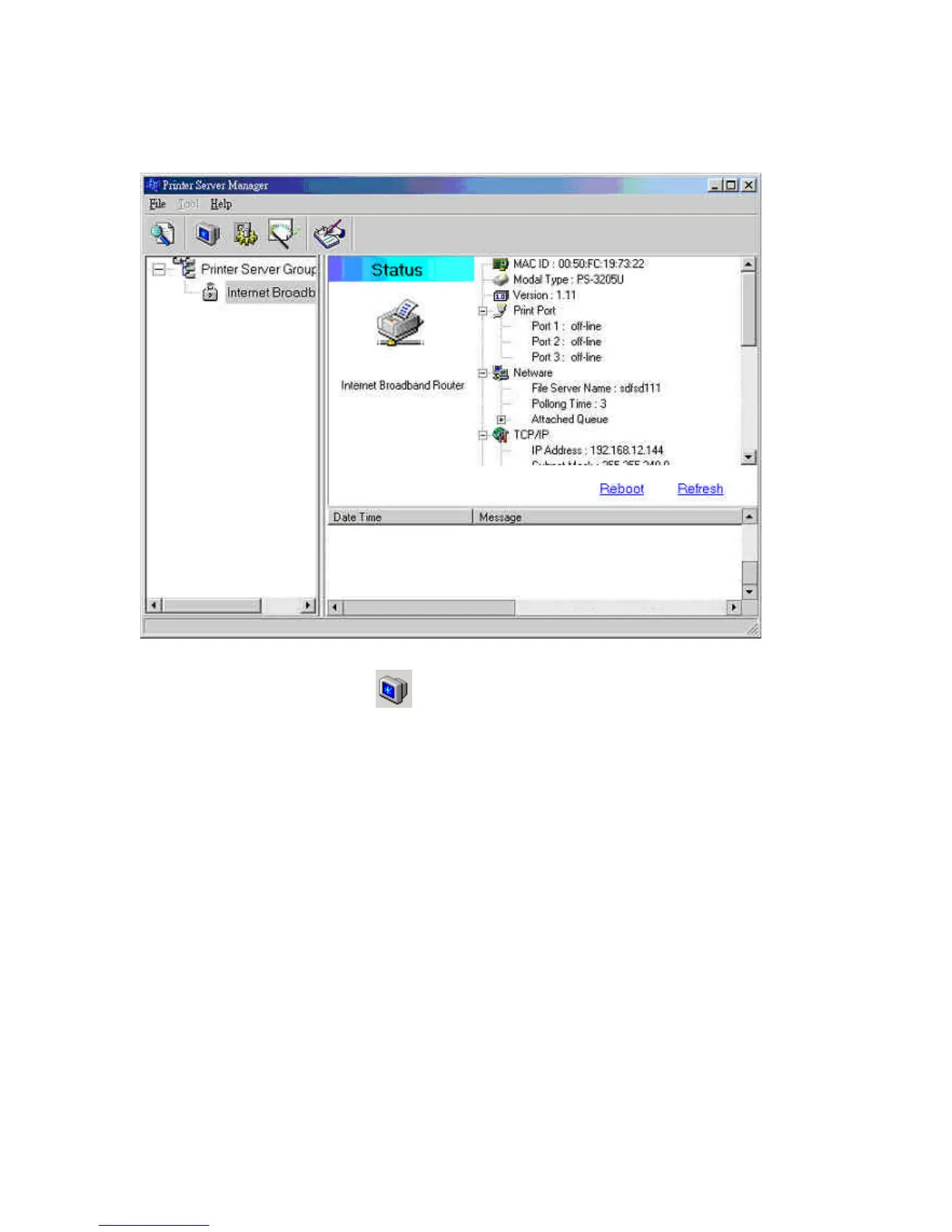
Click the “Status” icon on the tool bar to view the current
status of the selected print server.
Information about the selected print server is displayed
including the MAC ID, model type, firmware version, status of
each printer port, NetWare file server name, NetWare file
server polling interval, NetWare printer queue names, IP
address, subnet mask, default gateway, AppleTalk printer type,
AppleTalk zone and print server printing ability…etc.
You can refresh the print server’s status by pressing the
“Refresh” button.



 To Next Page
 Loading...