7.5 AppleTalk Configuration
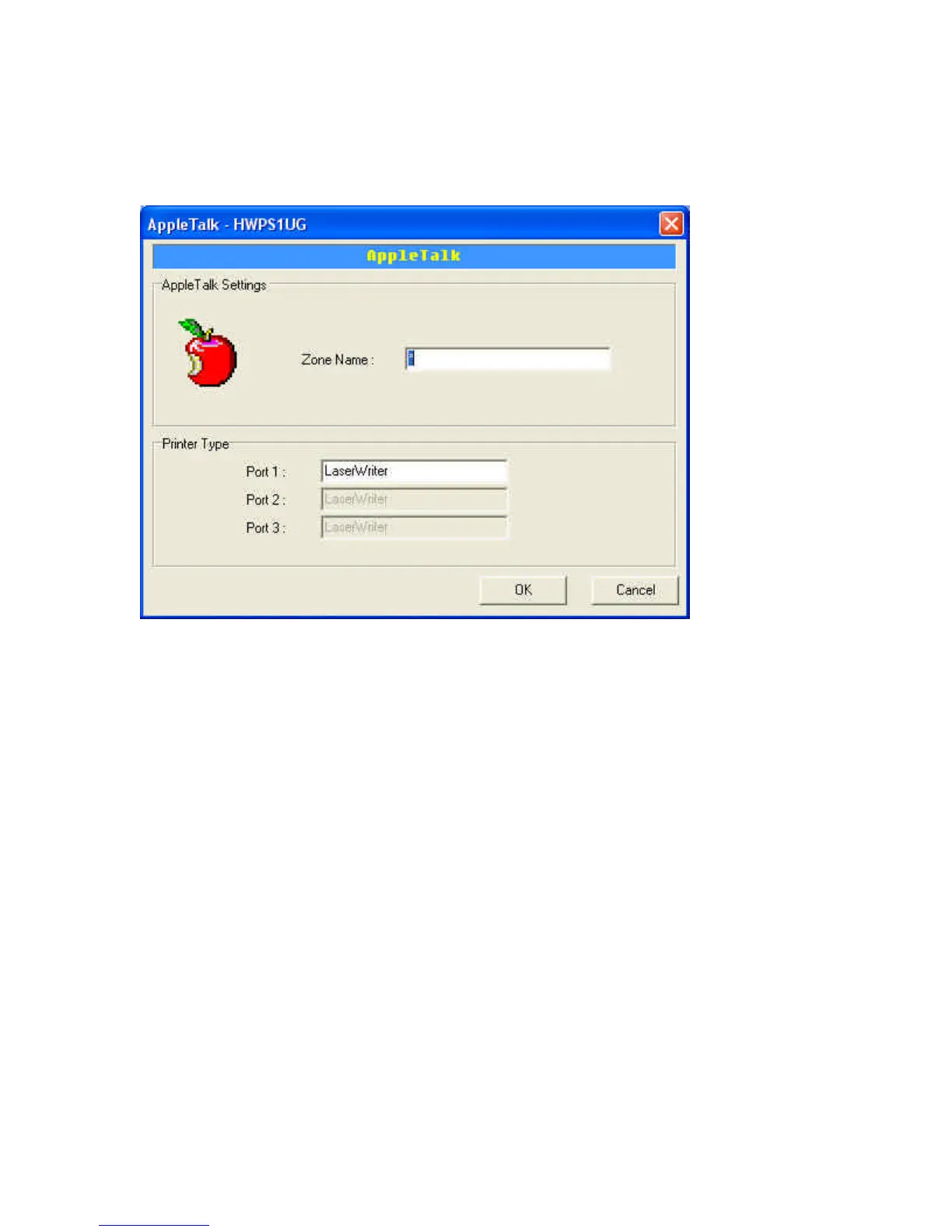
Double Click on the “AppleTalk” icon and the AppleTalk
configuration window will appear.
AppleTalk is a data communication protocol often used by
Macintosh computers. The HWPS1UG can use this protocol to
join the AppleTalk network and share your printer to other
AppleTalk workstations. You will have to setup the “Zone
Name” and “Printer Type” for each printer port of the
HWPS1UG.
Zone Name: Enter the HWPS1UG AppleTalk zone that your
AppleTalk network uses. The selected zone must be active
before other AppleTalk workstations can share your HWPS1UG.
Only workstations in the same zone can share your printer. If



 To Next Page
 Loading...