3.2.2 Manual Printer Port Configuration
WINDOWS 98/NT/Me/2000
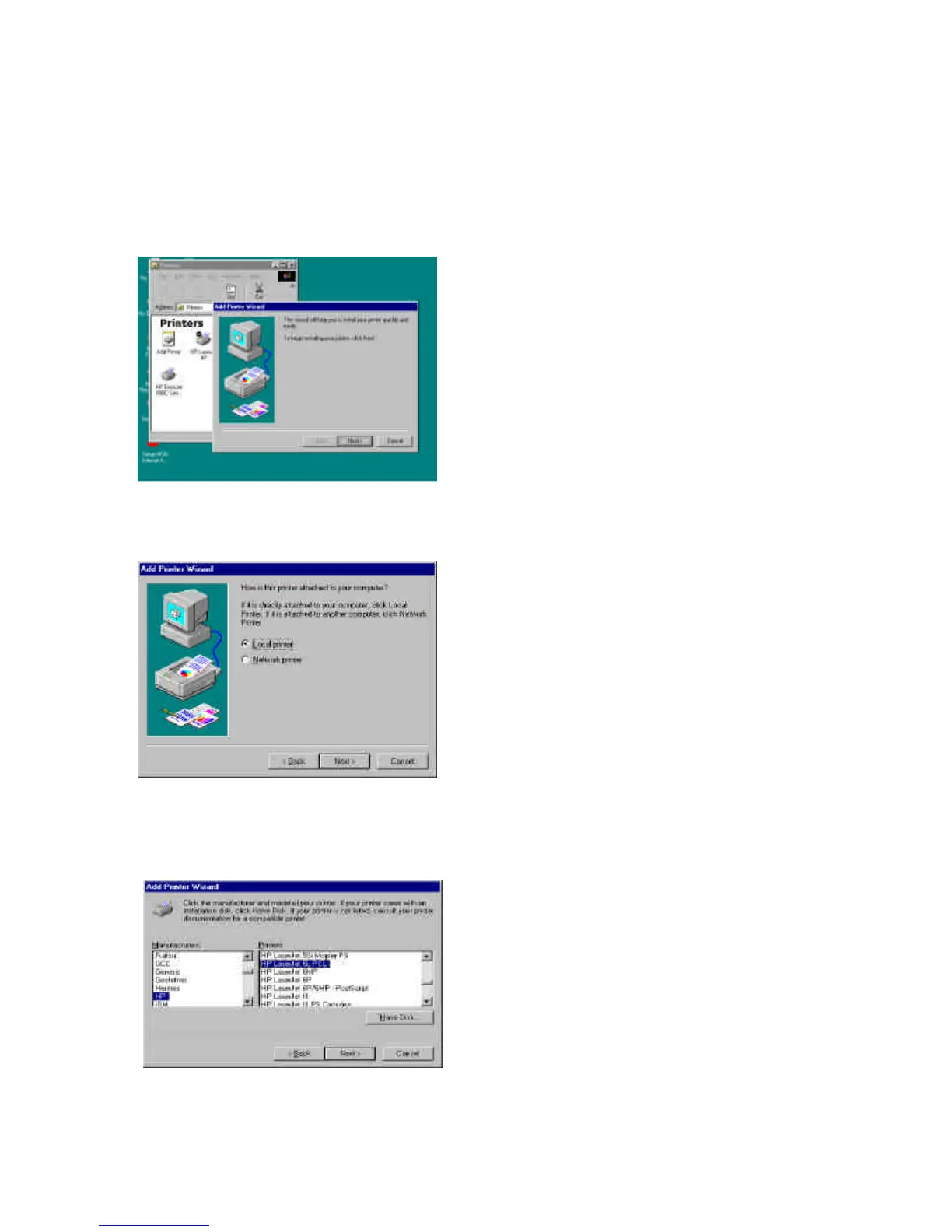
Step1. Click the Start button, choose Setting è Printers
Step2. Double click on Add Printer
Step3. Select Local printer è click Next.
Step4. Select your printer manufacturer and model, and then click
Next.



 To Next Page
 Loading...