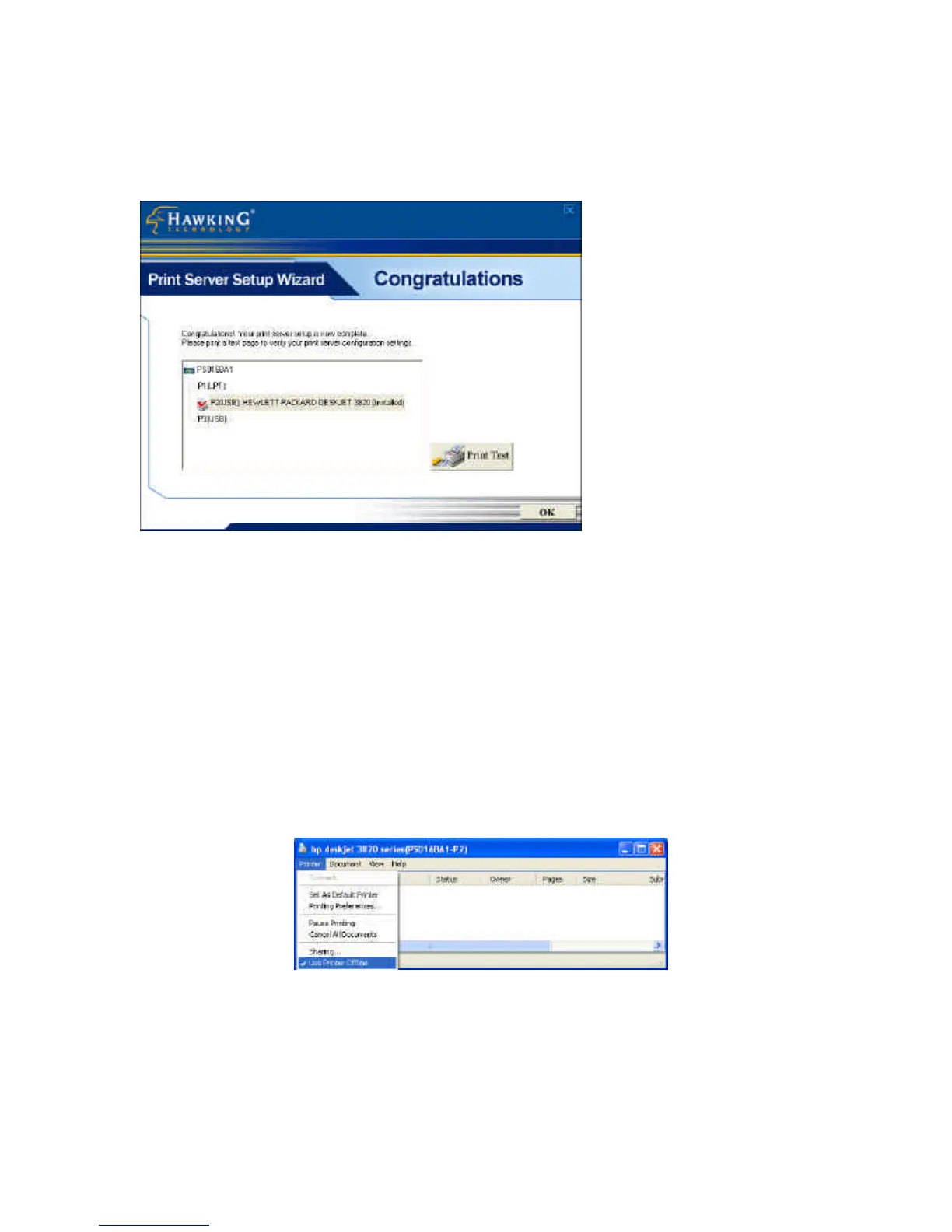
25. The final configuration screen will allow you to print a
test page using the newly installed print server.
Please highlight the appropriate printer and press the “Print
Test” button to verify that your print server is properly
configured. There may be a short delay the first time you print
to the print server. If there is a problem printing the test page,
please remove and replace your printer’s power and make sure
your Windows printer driver is “online” and the “Use Printer
Offline” selection is not checked.



 To Next Page
 Loading...