Profibus connection
15
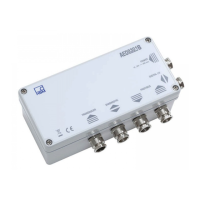
AED9301B HBM
Maximum cable length subject to bit rate:
Bit rate [kbit/s]
9.6 19.2 93.75 187.5 500 1500 12000
Max. cable length [m]
1200 1200 1200 1000 400 200 100
Setting the Profibus address
Address = S5 10 + S4 (permissible address range: 3...99)
The address must be set in the deactivated state and read in by the AED when the supply
voltage is applied. The address is set to 03 at the factory.
Light-emitting diode functions (LEDs)
The various Profibus states are indicated by 4 LEDs (Fig. 2-1):
LED1: Profibus power supply (green, on the right next to the bus termination)
the RS485 driver supply voltage is being applied if LED 1 shows a continuous
green light
LED2: Profibus Data Exchange (green)
The Data Exchange state is indicated for cyclic data communication by green
LED 2.
LED3: Profibus diagnostics (yellow)
The yellow LED 3 comes on when there is an internal error. The measurement
data may be invalid.
LED4: Profibus error (red)
When there is a bus error, LED 4 shows red and stays on as long as the error
persists.
Possible causes:
- Incorrect wiring (A and B may be transposed)
- Profibus Master not (yet) working


 To Next Page