16
Connecting digital inputs/outputs
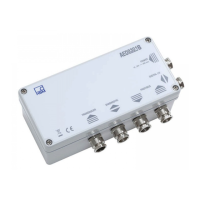
HBM AED9301B
Installing Profibus:
1.
Connect the feed lines in the deactivated state to the AED (see Electrical connection
section). The Profibus line is routed from one device to the next via KL3.
2.
Use “S5” and “S4” to set the node address.
3.
Set the switch for connecting bus termination (“S2”):
Caution: Only set it to on for the first and last device, otherwise leave in the off position.
If the first or last bus node is not an AED, you can usually connect bus termination via a
slide switch on the Profibus connector housing.
4.
Check that the bus link switch (“S3”) is set to on.
5. Activate supply voltage U
B
.
6. Use the relevant tools to configure and assign parameters to the Profibus node.
Configuration and parameter assignment of the Profibus message with a configuration tool
and GSD file is described in the aed_help_e, AD9301A; “Description of the Profibus commu-
nication”. Also the linking the bus via a PC and the HBM Profibus Panel program.
The Profibus can be separated from the AED for diagnostic purposes (bus link (S3) to “off”).
3.4 Connecting digital inputs/outputs
At terminals KL1 and KL2 are the digital control inputs and control outputs together with the
associated ground references.
The measuring amplifier is always electrically isolated from external supply voltage U
B
and
from the digital inputs and outputs


 To Next Page