5
Helpful Videos – www.hzsupport.com Helpful Answers – 1-800-858-8501
3. PROBLEM: Chime sounds when not intended (false triggers).
POSSIBLE CAUSE: Chime is receiving interference from another wireless
device.
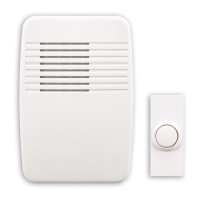
CORRECTIVE ACTION: Reset chime and push button.
• Remove push button battery. Wait 30 seconds.
• Press and hold the push button for 10 to 15 seconds within 60 seconds
after installing battery into the push button.
• Press and hold the “Sync/Music” button on the chime until the chime sounds
a “Beep-Beep-Beep-Beep”.
• To re-sync the push button and chime, press and hold the “Sync/Music”
button on the chime until the chime sounds a “Beep-Beep”.
• Press the push button within 30 seconds. The chime will sound a “Beep-
Beep” tone to indicate the push button is synced.
• Press the push button to ensure operation.
4. PROBLEM: The new push button and chime do not work with existing push
buttons and chimes.
POSSIBLE CAUSE: The new push button and chime are not using the same
codes as existing push buttons and chimes.
CORRECTIVE ACTION: The new push button and chime need to be set
to work with existing push buttons and chimes. Please call 1-800-858-8501
for assistance in changing the codes to work with existing push buttons and
chimes.
Note: The push button and chime come synced from the factory. The range of the
wireless chime can vary with location, temperature, and battery condition.



 To Next Page