Start Up
10
Start Up
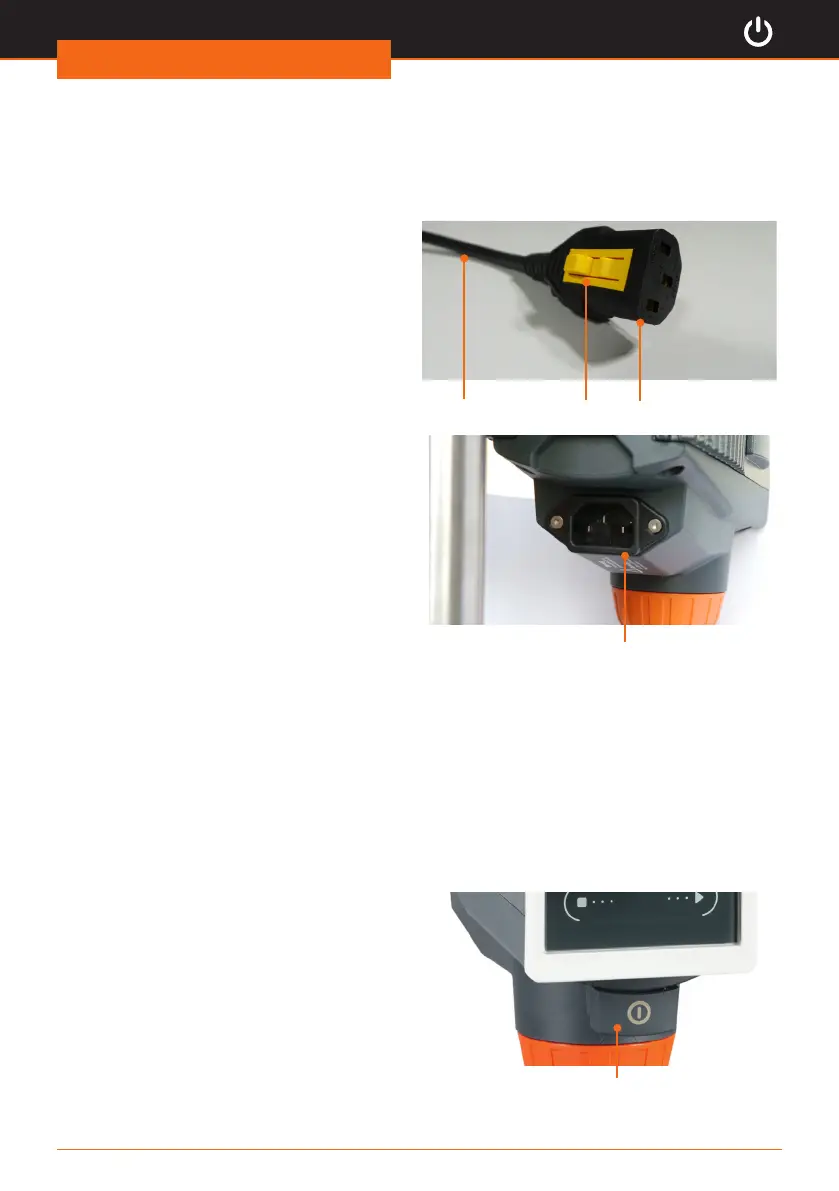
Power cord
Connect/disconnect power cord
Connect power cord to unit
The plug comes with a yellow clip on the
bottom side to ensure a rm attachment.
PlugPower cord Clip
➜ Connect the plug to the socket on the
back side of the unit with the yellow
clip pointing downwards.
✓ The plug is securely attached once the
yellow clip clicks in place.
Socket
Connect plug to ground socket
➜ Connect the power cord on the other side to the electrical ground socket.
Disconnect power cord
➜ Press the yellow clip on the downside of the plug and hold it in this position.
➜ Pull the plug simultaneously out of socket of the unit.
Switch unit on and off
Switch unit on
➜ Press the on/off button.
✓ The button locks in.
✓ The display is illuminated.
✓ The screen displays a short animation
on how the rotation is switched on.
✓ The according touch panel ashes for
2 seconds.
Switch unit off
➜ Press the on/off button.
✓ The display powers off.
On/Off switch




 To Next Page