11
Tip:
There will be a pop-up window of connection instruction if you didn’t connect to the Wifi
HeimLink_AP_xxxx successfully. Tap Confirm and connect to the Wifi again.
Connect the camera through LAN cable
Connect your camera to a router with a LAN cable. Power on the camera, wait until you
hear the voice prompts “Please wait for wired connection. Please wait for Internet
connecting. Please choose wired connection to add camera”.
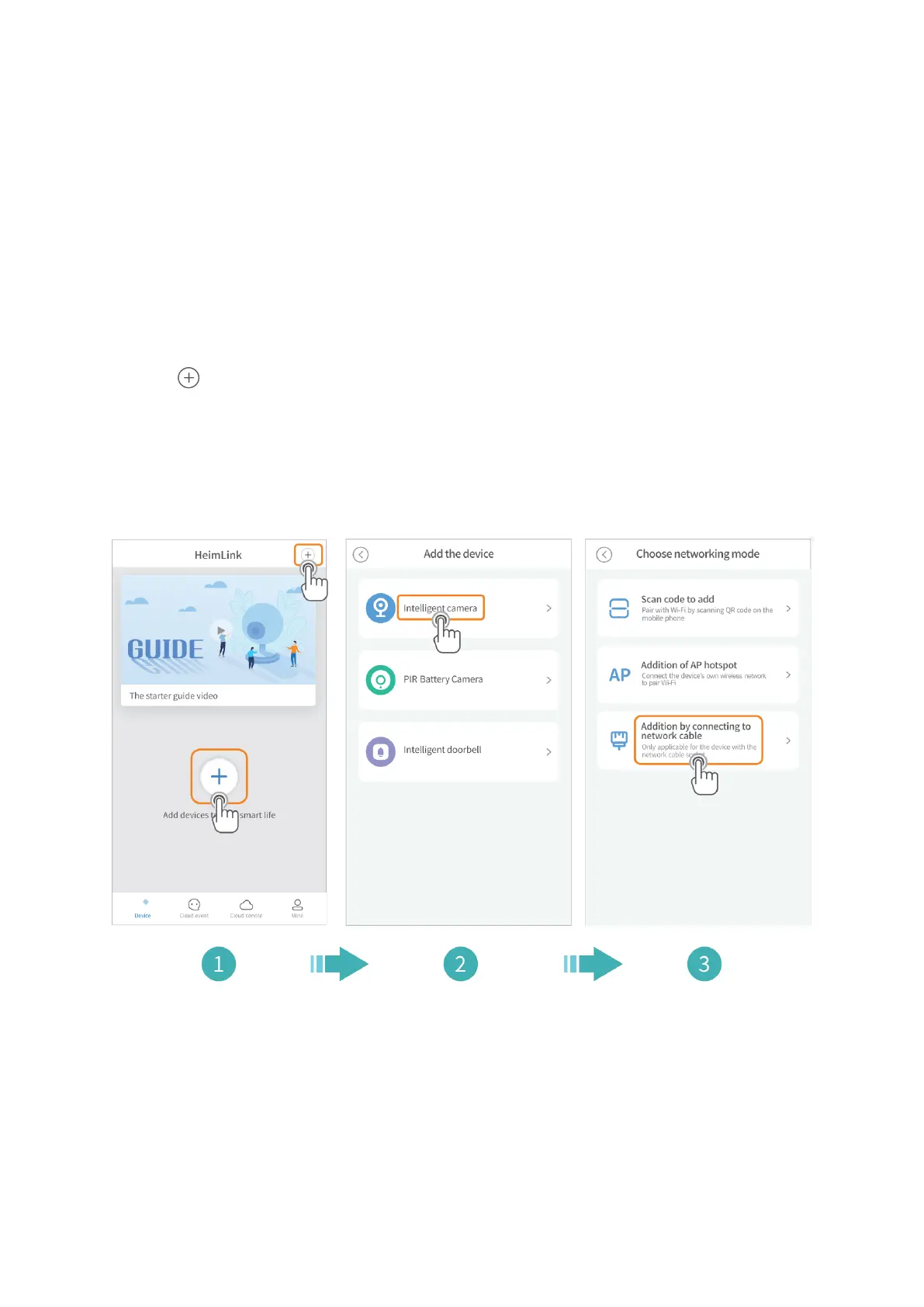
1. Tap in the center or upper right corner.
2. Select Intelligent camera.
3. Select Addition by connecting to network cable.
4. Tap Next.
5. Scan the QR code on the camera.



 To Next Page