16
: create a preset, and the camera will directly rotate to the preset location if you
tap the thumbnail.
: share your camera with your family.
: enter the notification settings page.
: slide it to pan/tilt the camera.
Tap the area outside the menu to exit.
12. Enter the Cloud Album.
13. Tap to playback the videos recorded in the cloud or memory card.
Video Recording
Notes:
• Two recording options are available for the camera: recording videos to a
memory card or cloud.
• If you have both installed a memory card and subscribed to a cloud plan, the
videos will be recorded in the memory card and cloud at the same time.
• The camera loops to record videos, which means the latest videos will overwrite
the oldest one when the card is full.
• The camera’s card slot is not hot-swappable. Please reboot your camera after
installing the card.
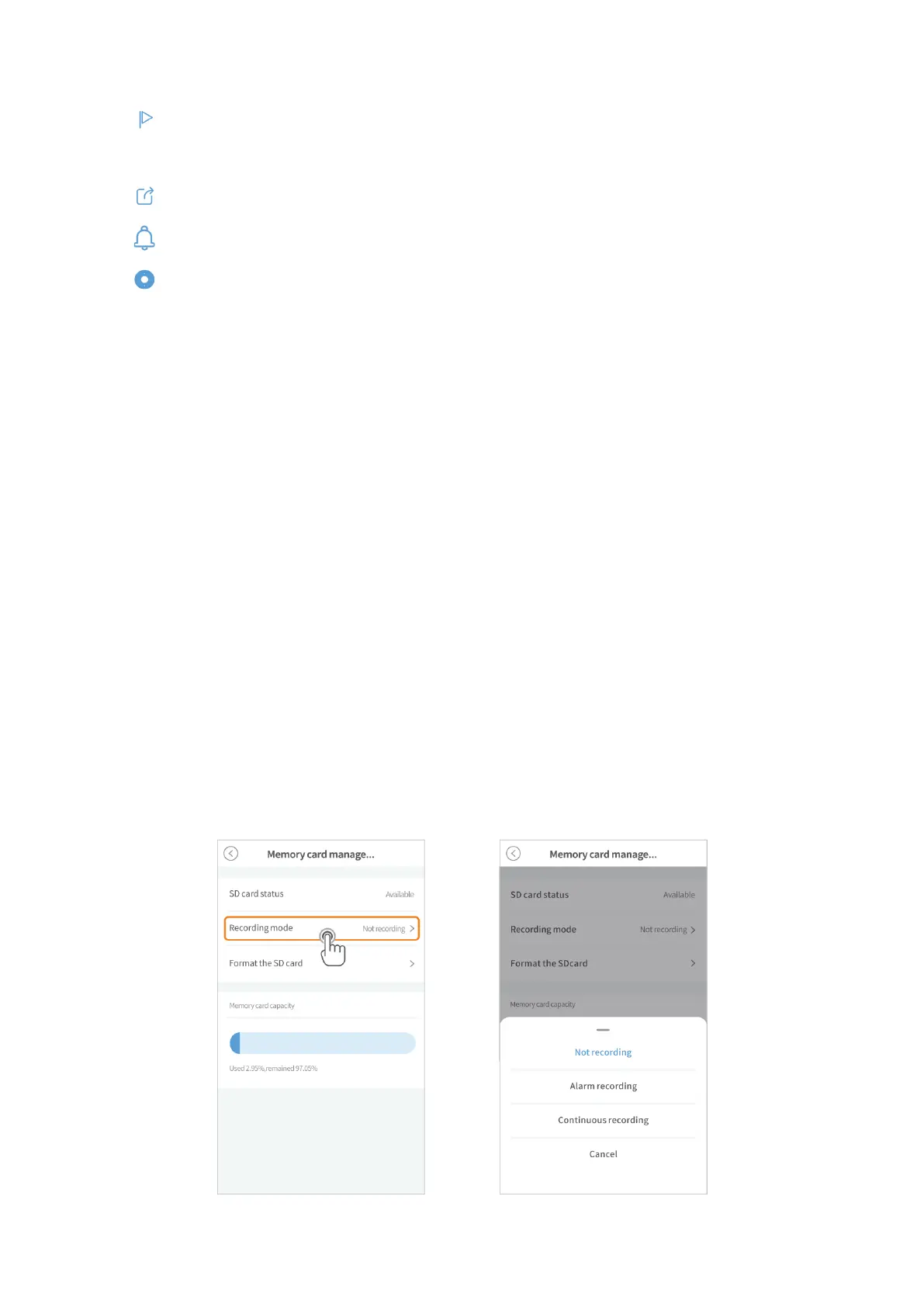
By a memory card
Install a memory card (up to 128GB), then go to Settings > Memory card management >
Format the SD card to format your card before the first use.
Then select a recording mode from Not recording, Alarm recording and Continuous
recording.



 To Next Page