15
Tip:
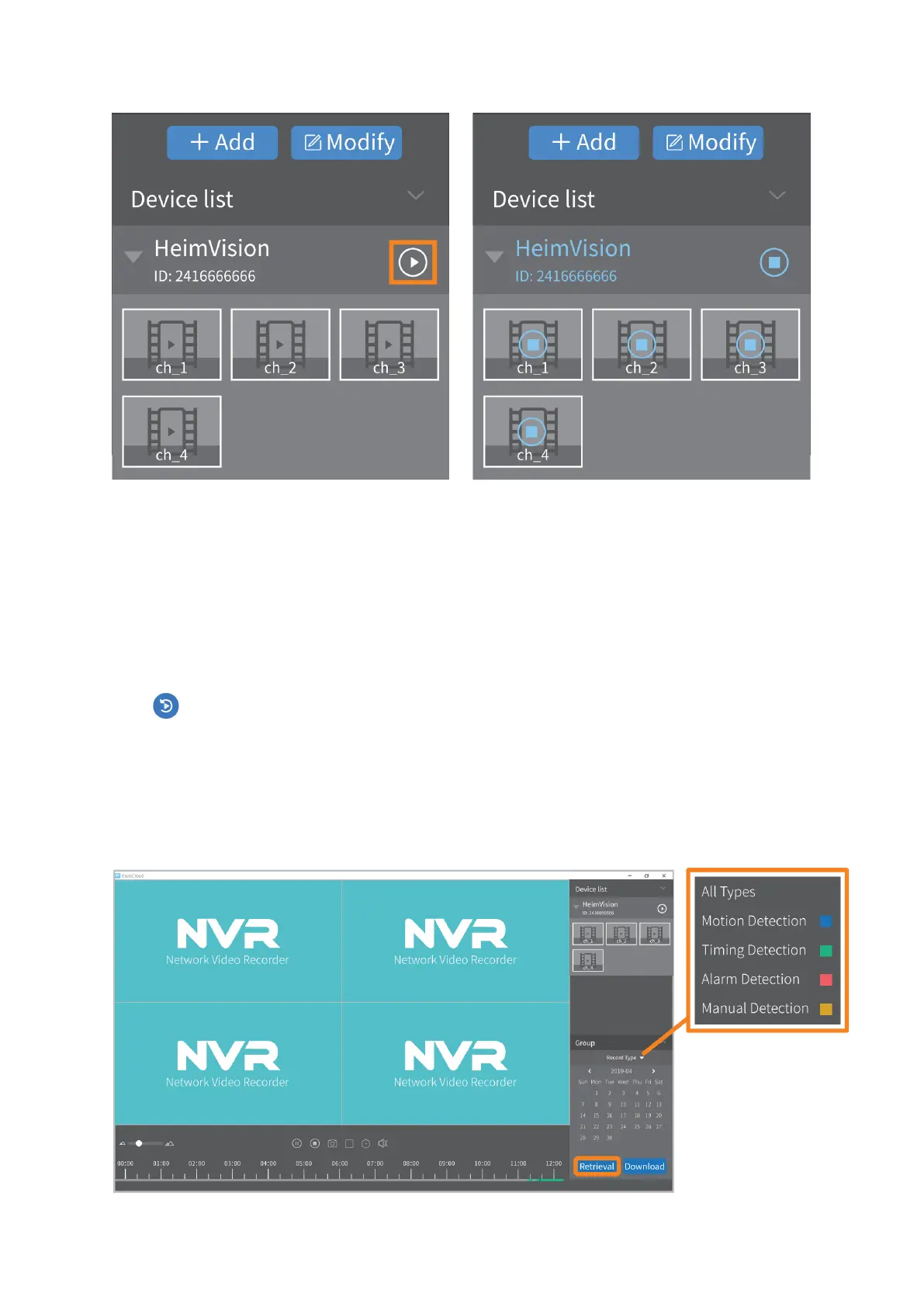
The Device list is displayed with the Graphic structure. If it’s displayed with a Tree
structure, please double click on the device name to connect the system.
Video Playback and Backup
Step 1:
Click (on the bottom menu bar), then click Confirm in the pop-up window to enter
the interface of Video Playback.
Step 2:
Select Channel, Record type and Date to filter the videos, click Retrieval to display the
recorded videos, then click on the colored timeline to see the recorded videos.



 To Next Page