14
Step 3:
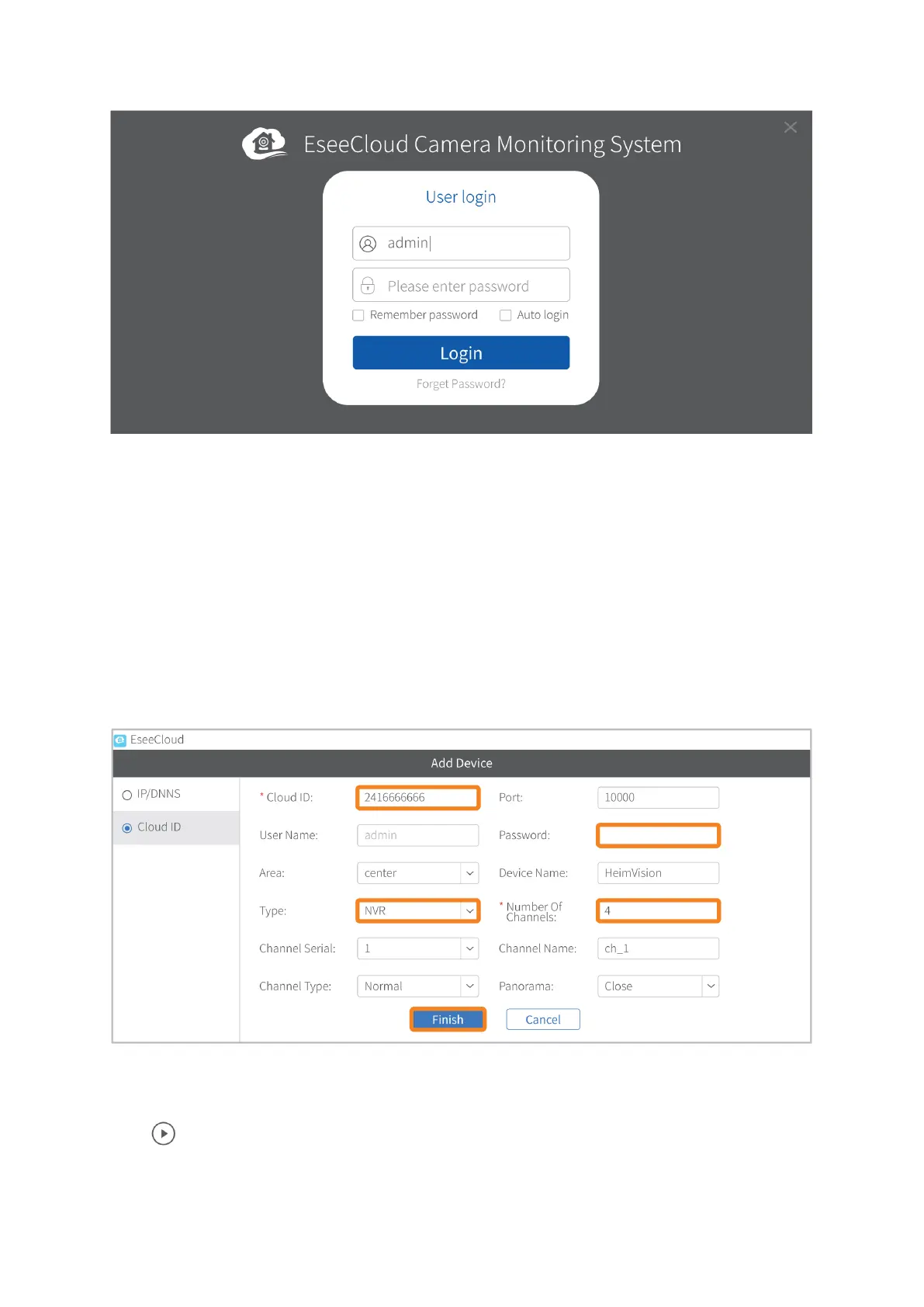
Click +Add (on the upper right corner) to add device.
Step 4:
• Click Cloud ID (on the left side);
• Input your Cloud ID number, user name (admin) and password (skip it if you
didn’t set one);
• Select NVR in the Type box and input 4 in the box of Number of Channels;
• Click Finish.
Step 5:
Click to connect your NVR system and show the live picture of the channels.



 To Next Page