Helmer Scientic i.Series
®
and Horizon Series
™
Freezer - Upright Operation Manual
360369/A 11
3.3 Change Temperature Setpoint
Note
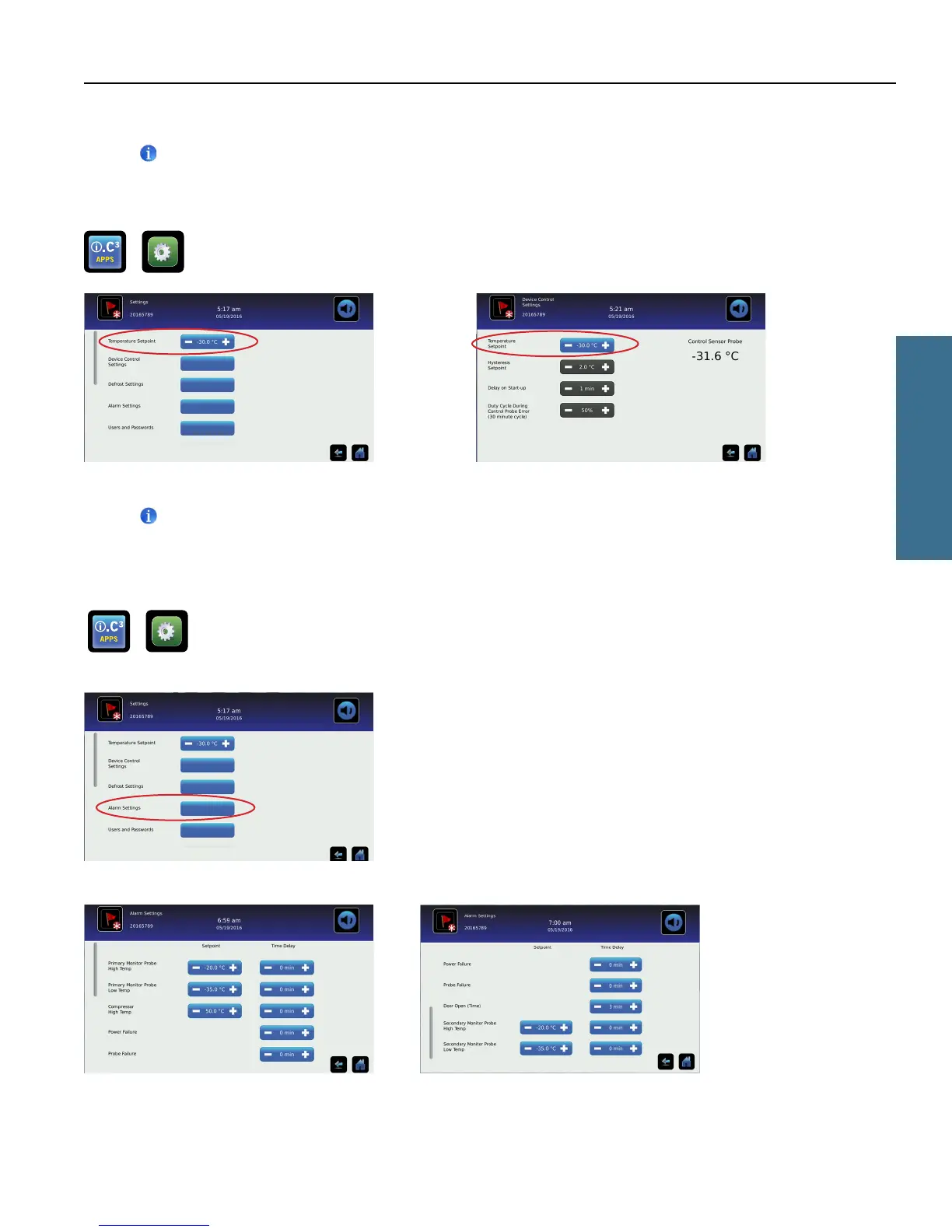
The Temperature Setpoint toggle button can be accessed from either the initial Settings screen or the Device Control
Settings screen.
> >Enter the Settings password. Select Temperature Setpoints. Touch + or – on spin box to change value.
Settings screen Device Control Settings screen
Notes
• Default Settings password is 1234.
• Default setpoint is -30.0 °C.
3.4 Set Alarm Parameters
> > Enter the Settings password. Scroll down to select Alarm Settings. Touch + or – on spin box to set each
alarm parameter.
Settings screen
Alarms screens
Alarm settings control the conditions and timing of alarm condition indicators displayed on the i.C³ Home screen.
i.Series Operation



 To Next Page