Helmer Scientic i.Series
®
and Horizon Series
™
Freezer - Upright Operation Manual
360369/A 7
Fill Temperature Probe Bottle
Note
Use approximately 4 oz. (120 mL) of product simulation solution (1:1 ratio of water to propylene glycol). Propylene glycol
is included in freezer box.
1. Remove all probes from bottle and remove bottle from bracket.
2. Remove cap and ll with approximately 4 oz. (120 mL) of product simulation solution.
3. Secure cap on bottle and place in bracket.
4. Replace probes, immersing at least 2” (50 mm) in solution.
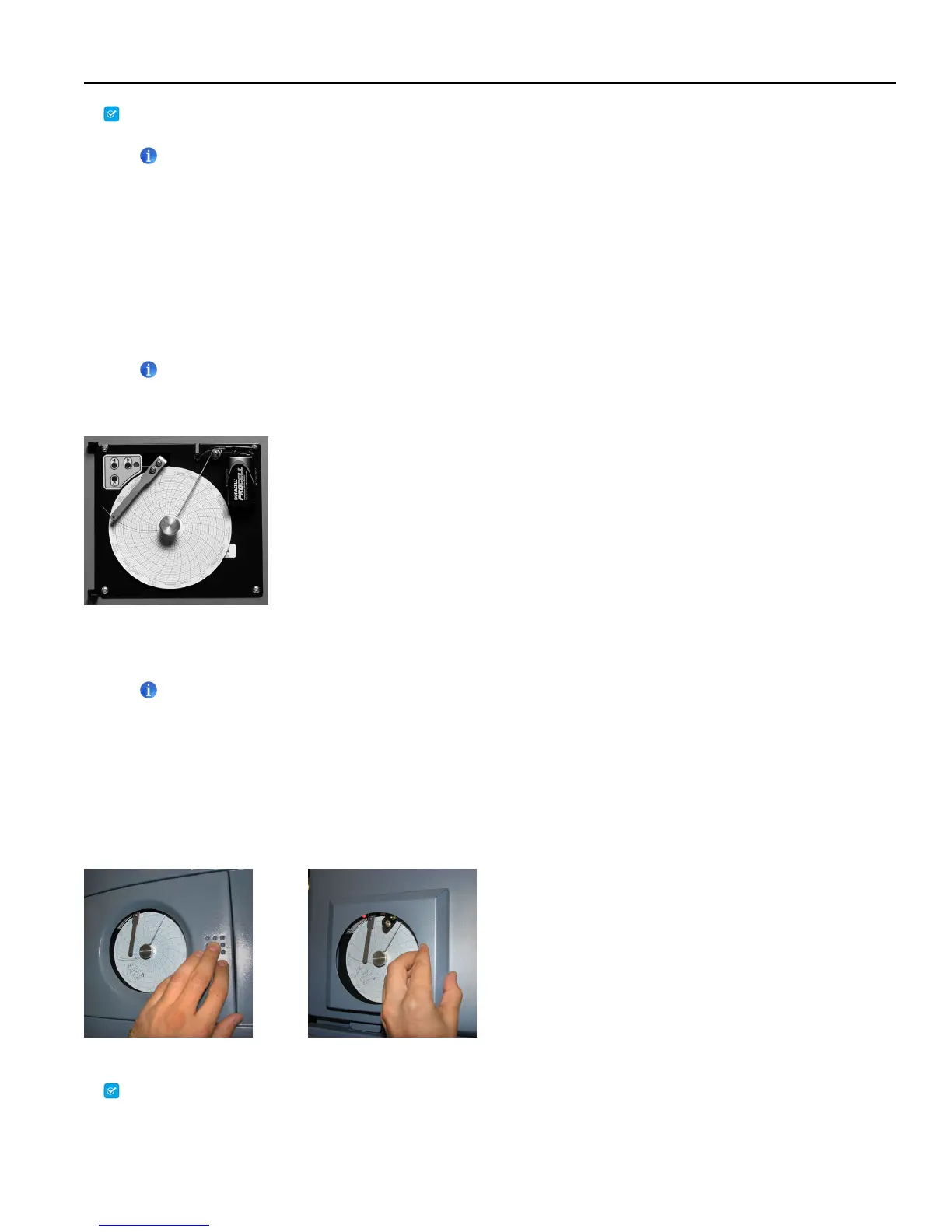
2.4 Chart Recorder (if included)
Note
For complete information, refer to the Temperature Chart Recorder Operation and Service Manual provided with this unit.
The chart recorder has a back-up battery system enabling a period of continuous operation if power is lost. Battery life varies by
manufacturer as well as voltage level remaining. If full battery power is available, back-up power for the temperature chart recorder
is available for up to 14 hours.
Note
If chart recorder is operated on battery power, the battery should be replaced to ensure the back-up source has proper
charge.
Prior to Use
Place probe in bottle with primary monitor probe.
Setup and Operation
Access chart recorder by pressing and releasing (i.Series) or pulling door open (Horizon Series).
i.Series chart door Horizon Series chart door
Install Battery
Connect the leads to the battery to provide back-up power to the chart recorder.



 To Next Page