Helmer Scientic i.Series
®
and Horizon Series
™
Refrigerator - Upright Operation Manual
360372/B 16
5 i.Series
®
Access Control (Optional)
Allows user-specic secure access to the refrigerator.
Notes
• During a power failure, the optional Access Control lock will remain locked until battery power is depleted or until the
back-up battery key switch is switched OFF.
• Switching the back-up battery key switch OFF will disable the monitoring system during a power failure.
• During a power failure, switch the battery back-up switch OFF and use the mechanical door key to provide secure
storage for refrigerator contents.
• Refer to i.C
3
User Guide for complete information regarding Access Control.
5.1 Set Up
Congure and manage user-specic accounts to allow controlled access to the refrigerator.
> > Access Set Up
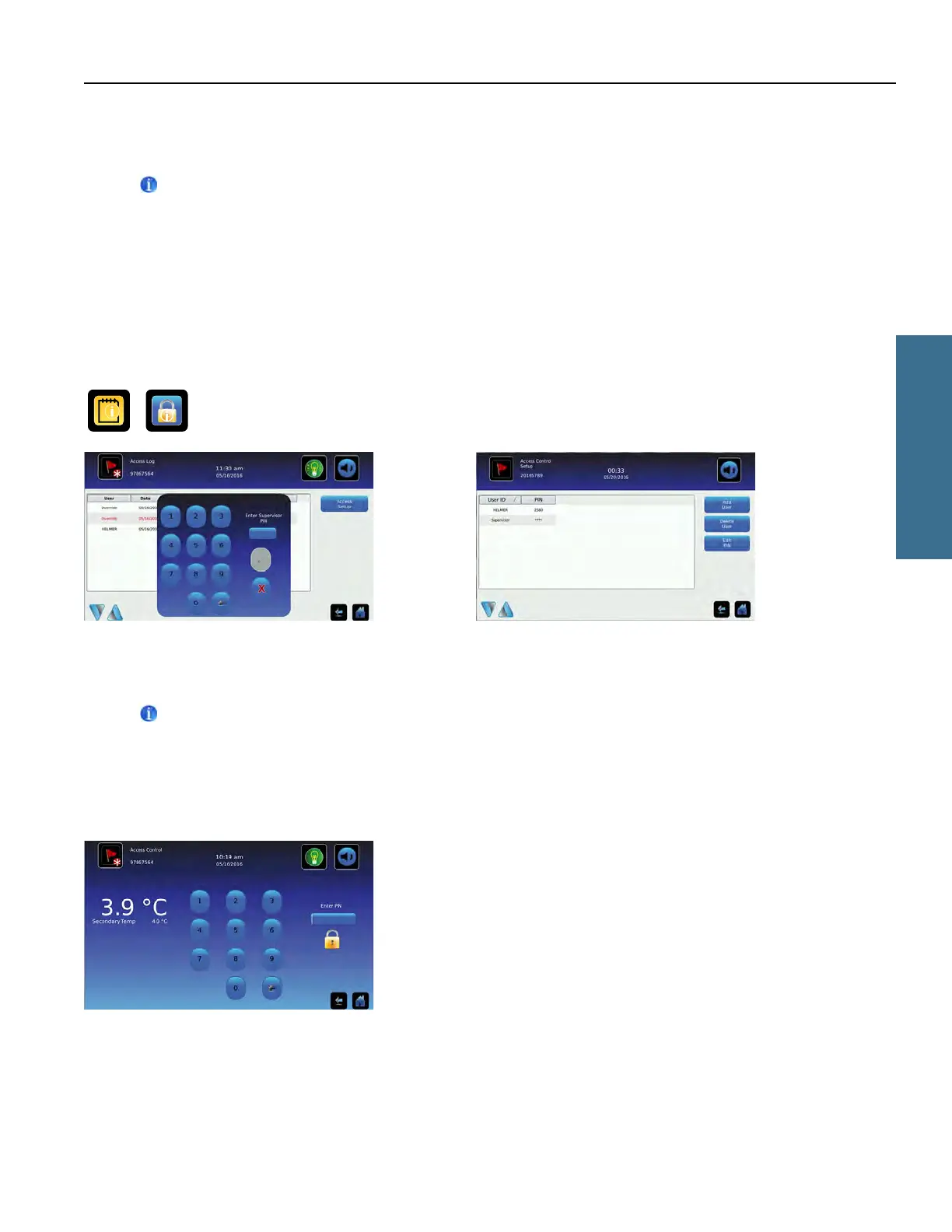
Access Control Setup password screen Access Control Setup screen
Enter the supervisor PIN to set up Access Control and follow the on-screen prompts to add, delete or edit user information.
Notes
• Initial factory supervisor PIN = 5625
• The supervisor PIN cannot be deleted, and should be changed to prevent unauthorized user ID setup. The supervisor
PIN does not allow access to the unit. At least one user ID must be set up to gain access to the unit.
5.2 Open Refrigerator with Access Control
Access Control keypad
Enter a valid PIN using the keypad.
i.Series Operation



 To Next Page