PN/CAN Gateway, PROFINET/CANopen Slave | Version 2 | 1/26/2021 27
7 Programming in the PLC
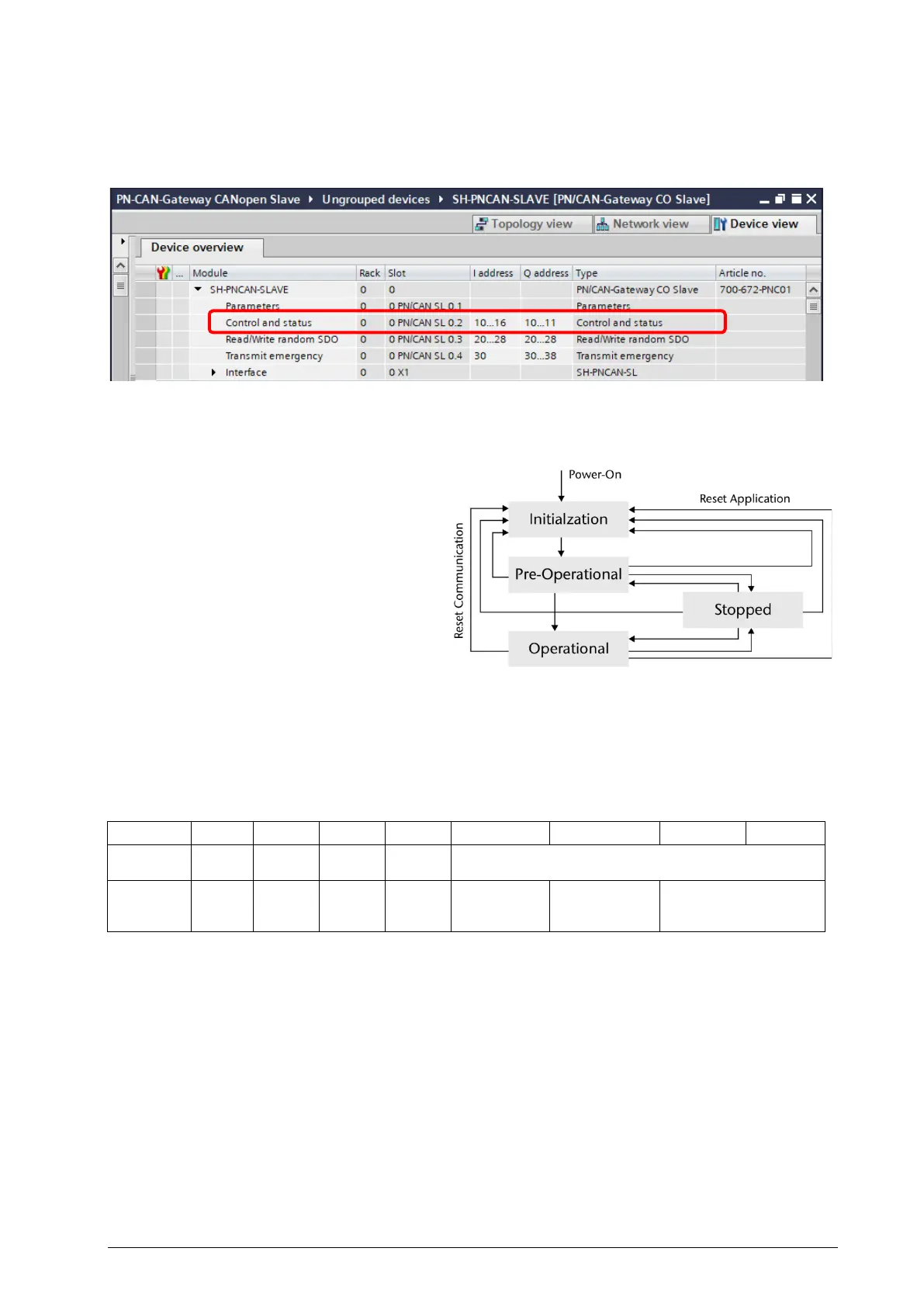
No handling blocks are required in the PLC for operation. The control and status request of the
PN/CAN Gateway can be performed directly via the I/O image with the module "Control and Status".
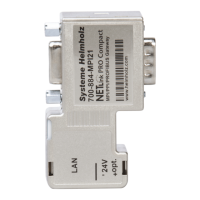
The most important function of the control and status bits is to control the CANopen slave state.
After power-on the PN/CAN Gateway
interprets the EDS/DCF file and initialized all
needed objects and functions.
State: Initialization.
After configuration by the PLC via PROFINET,
the gateway is ready for operation and can
switch to the Pre-Operational state.
The state change to Operational can now be
executed via the CAN bus from the CANopen
network or actively controlled by the PLC.
7.1 Control
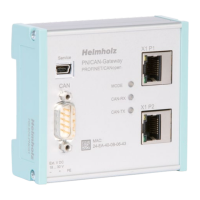
Two output bytes are available to control the PN/CAN Gateway.
Byte/Bit 7 6 5 4 3 2 1 0
Out 0
- - - -
State Change Command
Out 1
- - - -
SYNC
Acknowledge
“SYNC lost”
Reset Bit
NMT Limitation
Change State Command: The PLC can use these bits to change the state of the CANopen Device
directly.
Value 0: no command
Value 1: Change to “Pre-Operational”
Value 2: Change to “Stop”
Value 3: Change to “Operational”
Value 14: Communication Reset
Value 15: Reset


 To Next Page