PN/CAN Gateway, PROFINET/CANopen Slave | Version 2 | 1/26/2021 32
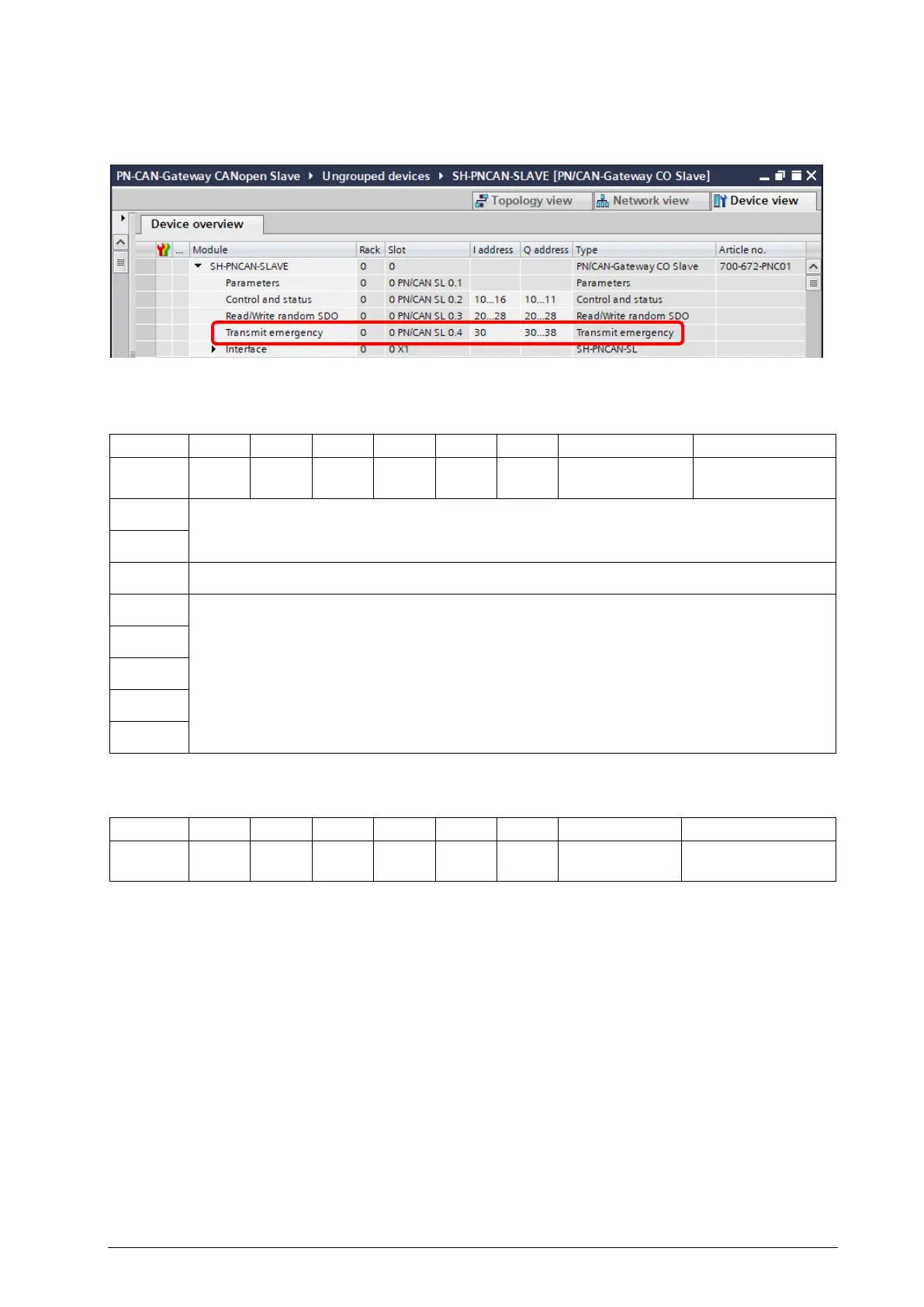
7.4 Transmitting Emergency Messages
Emergency messages report a serious error of a CANopen device over the CAN bus. The module
"Transmit emergency" enables the PLC application to send an emergency message at any time.
Emergency command (9 bytes):
Byte/Bit 7 6 5 4 3 2 1 0
Out 0
- - - - - -
1= enable
Toggle bit
Out 1
Emergency error code
Out 2
Out 3
Error register
Out 4
Manufacturer specific
error code
Out 5
Out 6
Out 7
Out 8
Emergency status (1 Byte):
Byte/Bit 7 6 5 4 3 2 1 0
In 0
- - - - - -
1= emergencies
Mirror of „transmit
To send emergency messages, bit 1 in byte 0 must first be set. The bit 0 in byte 0 must always be reset
in this step (synchronization of the toggle-bit between the application and the device).
Next, the 8 data bytes of the emergency message must be written into the output area and bit 0 in byte
0 must be toggled. In bit 0 of the status byte, it can be recognized whether the emergency message has
been accepted by the PN/CAN Gateway for transmission.
A new emergency message can then be triggered by toggling bit 0 again.


 To Next Page