Quick Start Guide REX 300 23
8.3
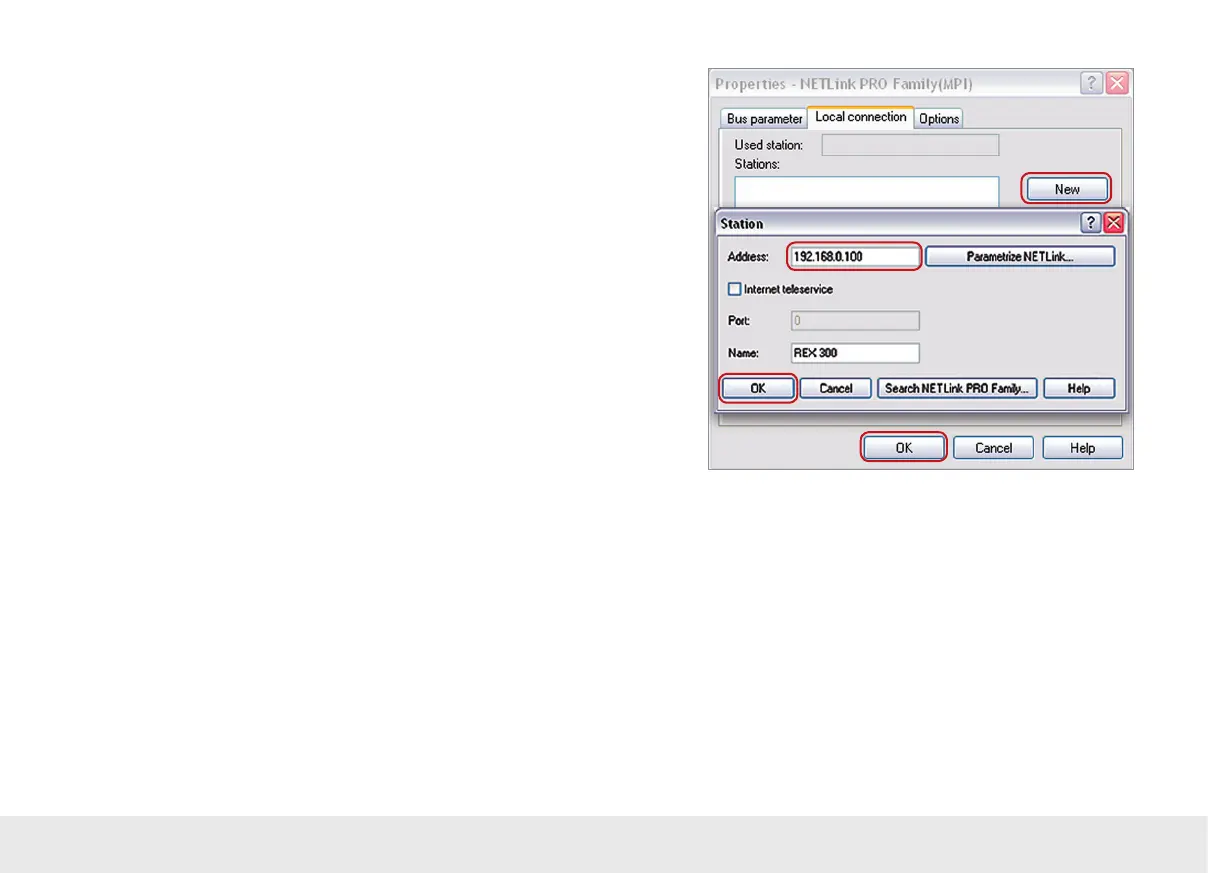
Click the “New” button under the “Local Connection” tab to add the router. Enter
the router’s name and IP address here manually.
If you are using a VPN connection or myREX24, enter the REX 300 unit's LAN IP here.
Then click on "OK."
Note: Please note that the port required by the REX 300 unit in order to communicate
using the driver will be opened by default.
This setting can be found in the "Ports" -> "MPI/PROFIBUS" -> "Open ports in the
rewall" menu.
myREX24 will disable the rewall port-opening option, since it is not needed when
connecting via myREX24.
8.4
It is now possible to access the REX 300 unit's MPI/PROFIBUS interface through the
PG/PC interface.



 To Next Page