Quick Start Guide REX 30020
6. Setting up VCOM LAN for serial communications
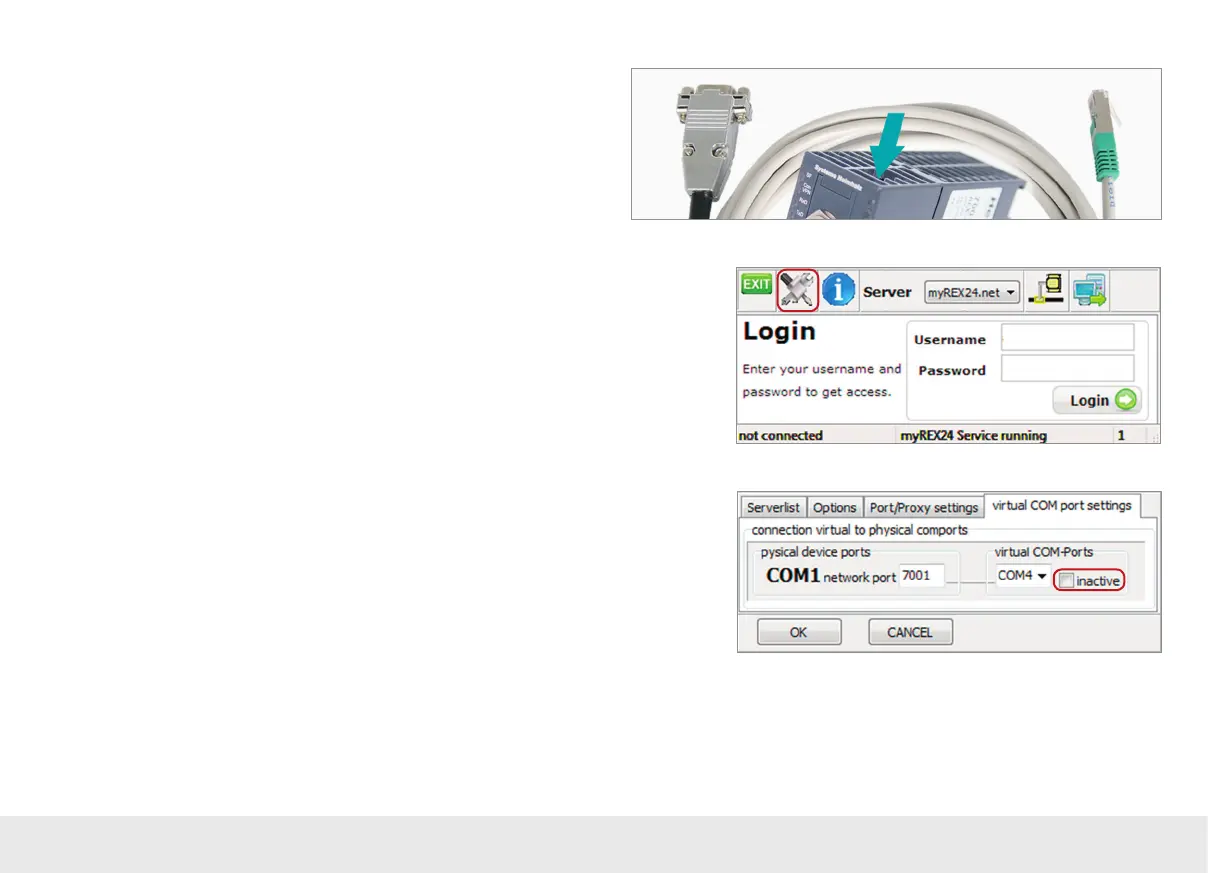
Depending on the model, the REX 300 may feature an additional RJ45 port. This
port will be located at the top of the housing and can be converted to a 9-pin D-sub
connector using the appropriate adapter cables (available as accessories).
- Order No.: 700-879-1VK11 (RS-232)
- Order No.: 700-879-1VK21 (RS485)
6.1
In order to be able to use a remote connection to access serial stations, you will need
to start shDIALUP and congure the corresponding settings for the virtual COM port
on your computer. To do this, click the Tools button before logging in.
6.2
Disable the “inactive” check box in the “virtual COM port settings” tab. The system
will automatically suggest a network port and a COM port, neither of which need to
be changed. Close the window by clicking on "OK."
Once you are done, you will be able to use your login information to log in to the
portal server (see page 4) and establish a connection to an REX router that has alrea-
dy been congured (see page 18).



 To Next Page