Quick Start Guide REX 30022
8. Remote maintenance of an S7-MPI/PROFIBUS PLC
Follow the steps below to access an S7 MPI/PROFIBUS PLC with your REX 300 unit:
Note: This is not possible with REX 300 eco devices, as they are not equipped with an
MPI interface.
8.1
Install the NETLink®-S7-NET driver on your remote servicing computer. The driver can
be found on the enclosed CD or download the current version at www.myREX24.
net.
8.2
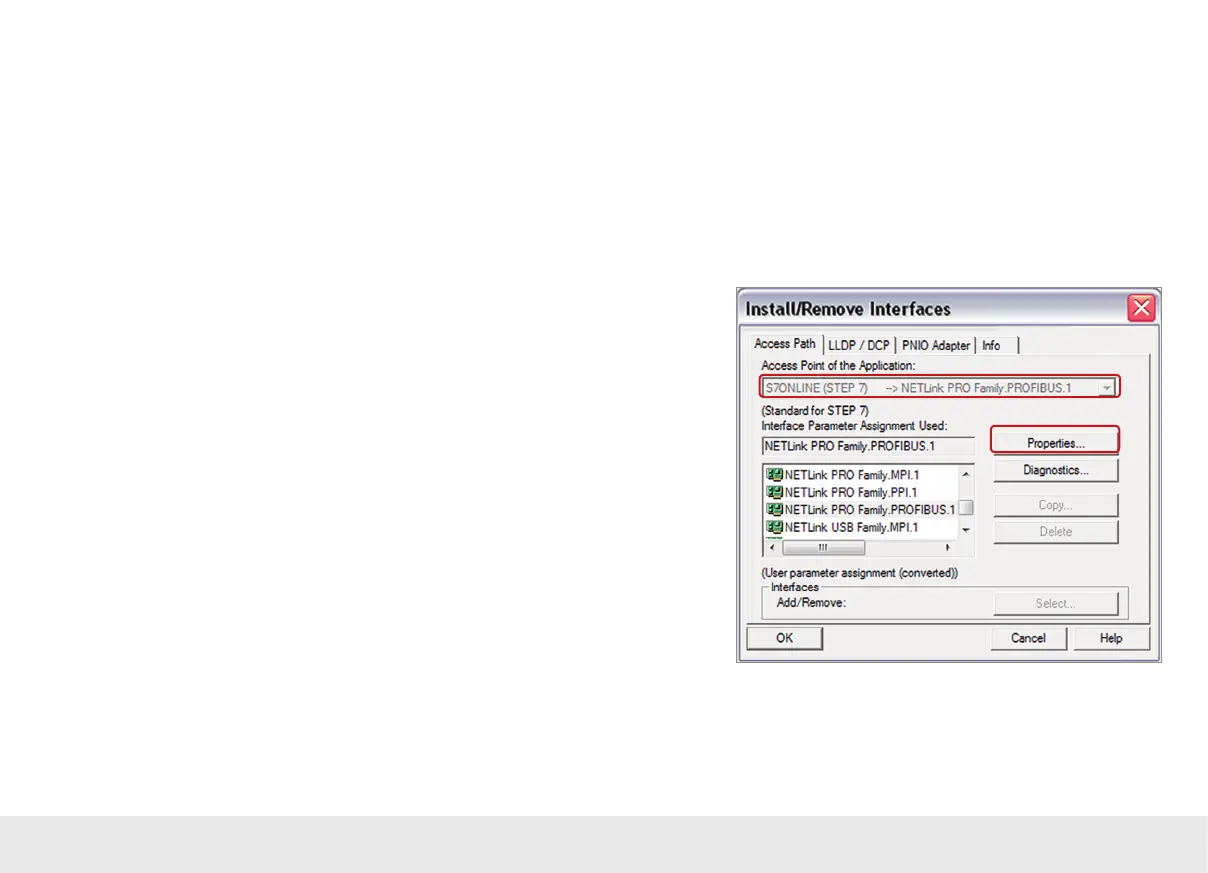
Following successful installation, the access paths of the "NETL ink® PRO Family" are
available in the PG/PC interface.
Note: For the TIA Portal
1)
as well, the general assignments must be carried out only on
the PG/PC interface (accessible via the Windows
2)
Control Panel).
Select a parameterization (MPI/PPI/PROFIBUS) and open the "Properties…" page.



 To Next Page