Quick Start Guide REX 300 3
2. Preparing the REX 300 unit
2.1 REX 300 with modem
Screw the antenna into place and insert the corresponding SIM card or connect the
modem to the right phone line (as applicable).
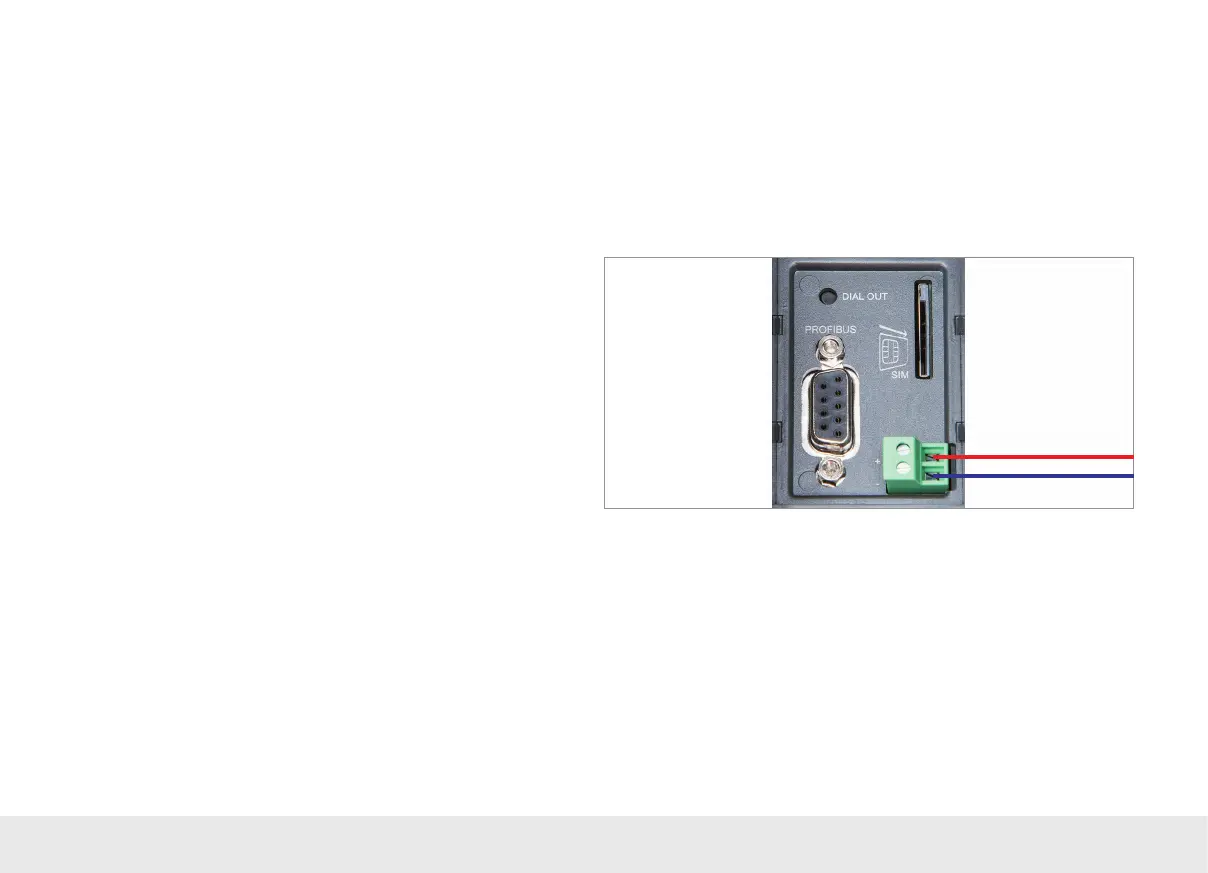
Connect a supply voltage of 10–30 V DC to the two-pole connector.
2.2 REX 300 WAN/LAN
Connect the REX 300 router's WAN port to the network or DSL modem being used
to establish an Internet connection.
Connect a supply voltage of 10–30 V DC to the two-pole connector.
1. Introduction
The REX 300 is an industrial router designed to be installed on mounting rails and
used for worldwide remote access to PLCs, HMIs, IP cameras, etc. This Quick Start
Guide goes over the basic settings in the myREX24 portal and shows how to use the
portal to create a conguration and transfer it to your REX 300 unit.
If you would like to operate your router without our VPN portal, you will nd further
information in Chapter 7 "Alternative conguration without myREX24 portal with
integrated assistants" on page 21.
Please note: Write down the serial number and MAC address of your REX 300 router
before installing the router in your system. You will need the serial number in order to
congure the device!
3. Creating a REX 300 conguration in the myREX24
portal
REX 300 routers can be fully congured using the myREX24 portal. Once the corre-
sponding conguration le is ready, it can be transferred to the actual REX 300 unit
in a variety of ways.



 To Next Page