24
3: eDriveTC Operation
Guidance overview
Operation of the Outback eDriveTC is an intuitive extension of the
stand-alone Outback guidance modes. If you are a first time user of
Outback products, carefully review the instruction booklet provided
with the Outback guidance controller.
General Operation
1. Select the appropriate
guidance mode.
2. Manually steer the vehicle
close to the guideline. After a
guideline is acquired, the
eDriveTC
prompts the operator
to engage.
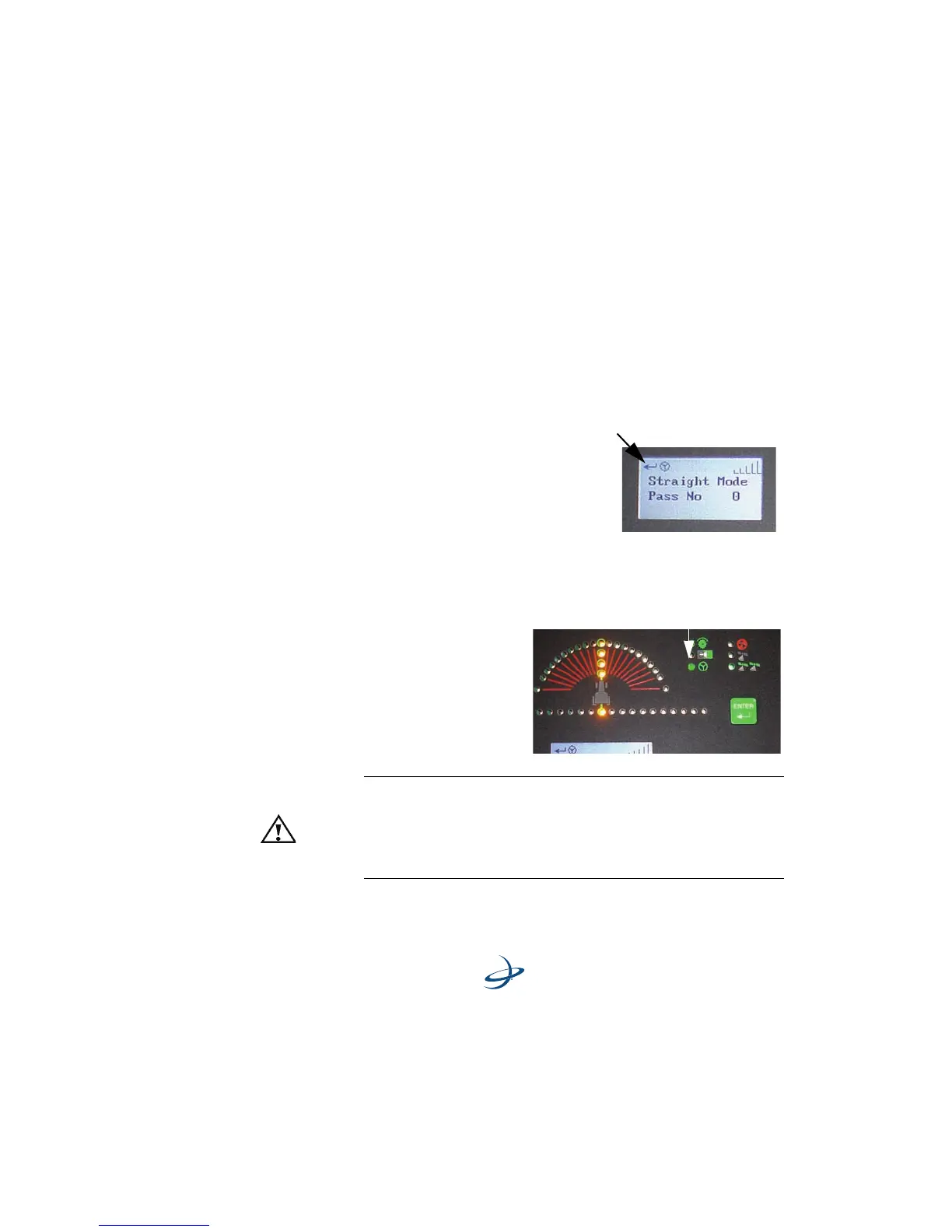
3. Press ENTER to engage
the eDriveTC. The
console indicates that the
eDriveTC is engaged.
4. Just Let Go
TM
Warning!
ALWAYS KEEP ALERT. eDriveTC cannot detect trees, gullies,
fences, and other field obstacles. To avoid personal injury and/
or significant property damage, stay alert at all times. Disengage
the eDriveTC
and manually steer the vehicle around obstacles.
eDriveTC icon indicationg eDriveTC
is active and is ready to engage.
eDriveTC Engaged Indicator Light



 To Next Page