
EasyManua.ls Logo

Heraeus Digilance V User Manual

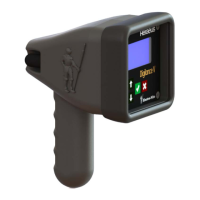
Heraeus Digilance V
23 pages
To Next Page IconTo Next Page
Page #1 background imageLoading...
Page #1 background image
HERAEUS
Instruction and Operating Manual
Temperature Measuring Unit
Digilance V
Document Version: 1.01
Date of Issue: 26 November 2018
Original instructions

Questions and Answers:

Heraeus Digilance V Specifications

General IconGeneral
BrandHeraeus
ModelDigilance V
CategoryMeasuring Instruments
LanguageEnglish

Summary

Safety and Usage Notes

1.1 General

Provides general information about the manual and its intended audience.

1.2 Qualified Personnel

Defines personnel authorized to operate and service the instrument.

1.3 Danger Notices

Explains safety notice terms (Danger, Warning, Caution) and pictograms.

1.4 Proper Usage

Details correct applications and adherence to safety guidelines.

1.5 RoHS Regulations

Outlines compliance with EU RoHS directives for hazardous substances.

1.6 WEEE Regulations

Explains EU WEEE directive for disposal and commercial use.

1.7 Battery

Provides precautions for handling and disposal of the Lithium Ion battery.

1.8 Disposal of Instrument or Parts

Guides on recycling components like electronic cards and battery packs.

1.9 CE-Declaration of Conformity

Declares compliance with essential EU directives like EMC and LVD.

1.10 ISED Canada and FCC Compliance Notice

Details FCC/IC compliance for wireless models, interference, and RF exposure.

Introduction

Overview

Describes the Digilance V as a hand-held instrument for molten metal temperature measurement.

Transportation

3.1 Instrument Transport Mode

Explains how to set the instrument to transport mode to conserve battery life.

3.2 Shipping of ESD-Sensitive Modules

Details requirements for packing and shipping ESD-sensitive electronic modules.

3.3 Packaging the Instrument

Provides guidelines for packing the instrument for dispatch and overseas transport.

3.4 Shipment of Lithium Ion Batteries

Covers regulations for shipping the instrument with its Lithium Ion battery pack.

Standard Operation

4.1 First Use

Guides on the initial activation and basic setup of the Digilance V.

4.2 Lance Installation

Step-by-step instructions for installing the immersion lance and connecting cables.

4.2.1 TC Wire Color Codes

Provides a reference for thermocouple wire color codes for EU and US standards.

4.3 Performing Measurements

Explains the process of taking temperature measurements with the instrument.

4.3.1 Measurement Evaluation

Details how measurement results are evaluated based on time windows and conditions.

4.4 Measurement History

Describes how to access and view stored measurement results.

4.5 Additional Measurement Information

Explains how to label measurements with Heat Number and Place.

4.5.1 Working with Heat Numbers

Provides instructions on setting and editing the Heat Number for measurements.

4.5.2 Working with Measurement Places

Guides on configuring and selecting measurement place names.

4.6 Battery Charging

Details the procedure for charging the instrument's Lithium Ion battery pack.

4.7 Power Management

Explains settings for controlling instrument awake time and transport mode.

Instrument Configuration

5.1 Configuration Login

Information on accessing configuration settings and the default password.

5.2 Configuration Parameters

Lists and explains various configurable parameters for instrument setup.

Advanced Operation (Wireless)

Wireless Communication

Details settings for wireless ID, mode, and data telegrams.

5.1 Wireless ID

Configures the unique identification number for wireless communication.

5.2 Wireless Mode

Sets the operating mode for wireless data transmission (e.g., MC Telegram).

5.3 Data Telegram

Defines the format and content of data telegrams for wireless transmission.

5.4 Melt Control ID

Assigns an identifier for melt control functions via wireless.

Maintenance

7.1 Procedures for Maintenance and Repair

Outlines rules for qualified personnel and authorized repairs.

7.2 Guidelines for Handling (ESD)

Provides precautions for handling electronic modules susceptible to electrostatic discharge.

7.3 Cleaning Notes

Instructions on how to clean the instrument using a damp cloth.

7.4 Battery

States that the battery should not be replaced by the user.

7.5 Performing a Test Measurement with a Checkmate

Describes how to perform a test measurement using a Checkmate instrument.

7.6 Calibrating the System

Details that calibration must be performed by authorized personnel annually.

Troubleshooting

Instrument Fails to Signal Ready

Sensor, contact piece, or cable defect. Exchange components or correct connection.

Instrument Signals No Measurement

Reversed polarity of measuring cable. Connect cable correctly.

Setup Charging

Charging is configuring. Wait for setup to complete.

Charging ...%

Battery is charging. No specific action required.

Battery Full 100%

Battery is fully charged. No action needed.

No Charge Power

Adapter connected but no power. Apply power to the adapter.

Overtemperature

Temperature too high. Lower instrument temperature.

Battery Too Cold

Battery too cold for charging. Wait for temperature to rise.

Battery Too Hot

Battery too hot for charging. Lower instrument temperature.

Charging Error

Error during charging. Check battery health.

Transport Mode

Accelerometer is switched off. Accelerometer will be reactivated upon power-on.

Error TC Break

Thermocouple is broken. Apply new thermocouple or check wiring.

Error No Eval

No evaluation possible. Review window settings.

Error No CJT

Not possible to compensate. Reference temperature measurement defective. Consult manufacturer.

Error Out of Range

Measured temperature out of range. Check TC type and start temperature.

Technical Data

Measurement Application and Channel

Specifies single/multi-dip measurement and analog input channel.

Sample Rate and Measurement Range

Details the sampling frequency and temperature measurement ranges for different thermocouples.

Thermocouple Tables and Accuracy

Refers to standard tables and specifies thermocouple accuracy.

Display Units and Data Storage

Covers configurable display units and storage of measurement results.

Power Supply and Battery Life

Information on power source, charging voltage, and nominal battery operating hours.

Wireless Communication and Ambient Temperature

Details wireless range, frequency, power, and operating temperature limits.

Environmental Protection, Size, and Weight

Specifies IP rating, physical dimensions, and weight of the instrument.

Spare Parts

Battery Pack Replacement

Part number for replacing the instrument's battery pack.

Rubber Boot

Part number for the rubber protective boot for the instrument.

Standard Housing Replacement

Part number for replacing the standard instrument housing.

Wireless Housing Replacement

Part number for replacing the wireless version instrument housing.

Antenna Assembly

Part number for the antenna assembly used for wireless communication.

Thermocouple Lug Screw

Part number for the thermocouple connection screw.

Front Plate Screw

Part number for the screws used to secure the front plate.

Lance Bolt

Part number for the bolt used to secure the lance.

Power Supply

Part number for the 12V DC power supply unit.

Lances and Cable Assemblies

Information on obtaining lances and cable assemblies.