OPERATION
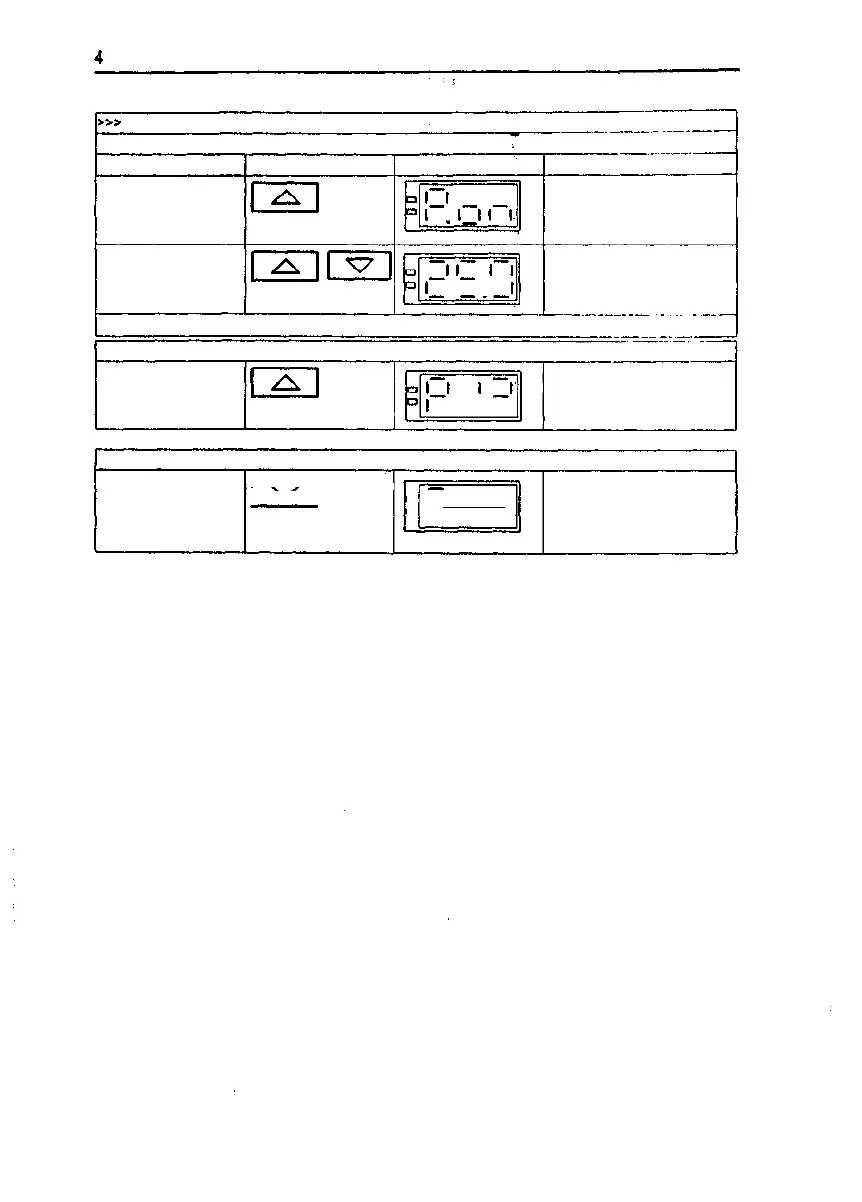
Entering the status command
Instruction
Select and mark status
command P. o n
Key(s)
Example of display
1
Remarks
P. o n is displayed, mark with
the "set" key
Leave the program
memory
U
Display alternates between
inside temperature and
"Pro"
Input terminated
Starting the added-feature program
Start the program approx. 3
sec.
I.-I
Program is started, the
display alternates between
the temperature and the
program segment
Terminating the added-feature program
Terminate the program f—==—| approx. 3
| v 1 sec.
a
l_l
1 1 l_l
Display alternates between
the inside temperature and
"Pro"
Issue: May, 1994
50 042 750
21/34


 To Next Page