Menu navigation and adjustment values
22
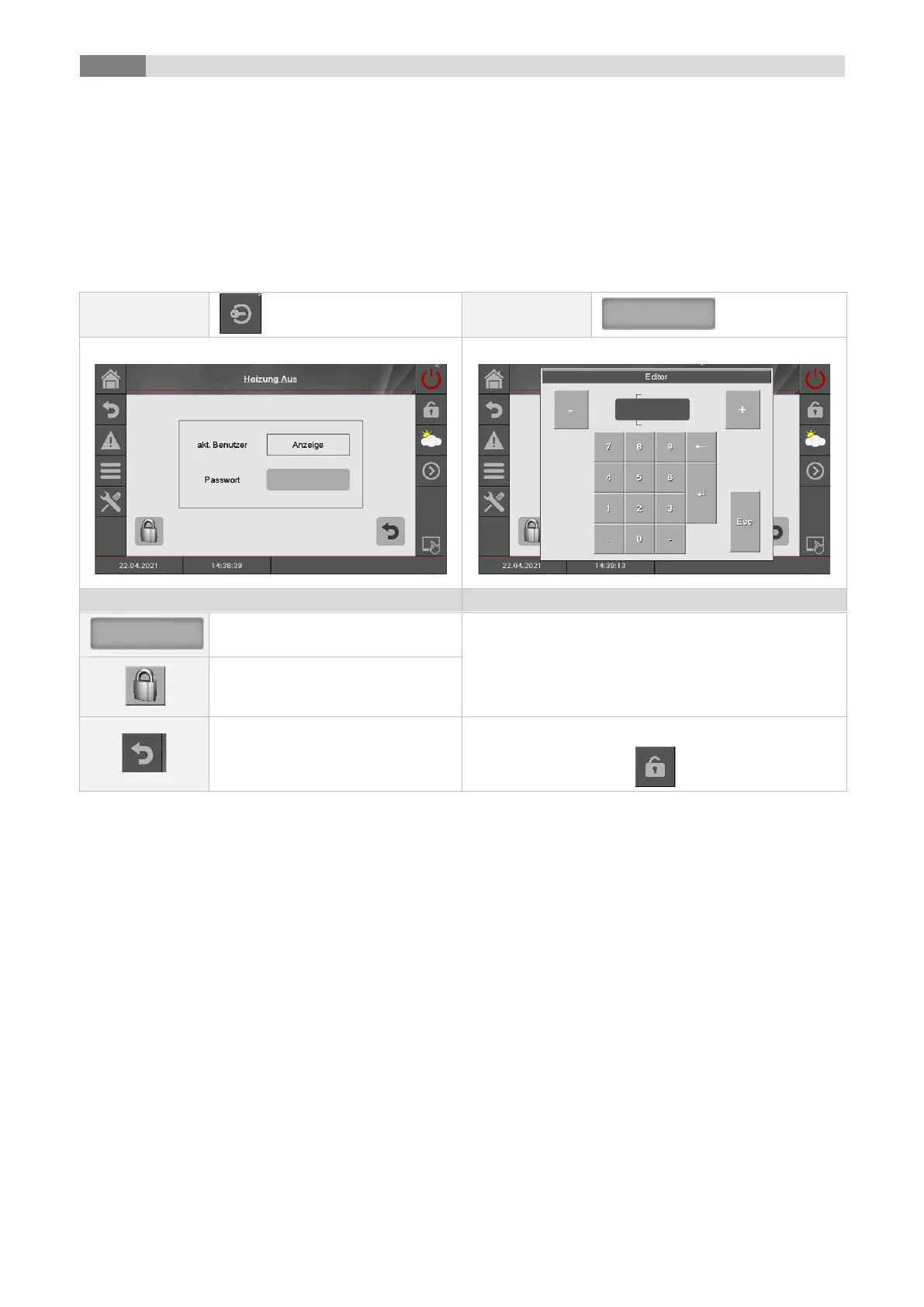
9.5 Code – entry
If entering the code, the following operations can be performed:
◼ Setting up values
◼ Activation of the aggregate-test (see chapter 9.4)
◼ Navigation in the menu settings (see chapter 9.13)
Figure Editor is displayed
Enter the corresponding code (see below) and press
„OK“ to confirm.
the main menu will be displayed
(if you have already entered a
code, the control will be locked)
the previous page will be
displayed
the open padlock-icon appears:



 To Next Page