Menu navigation and adjustment values
40
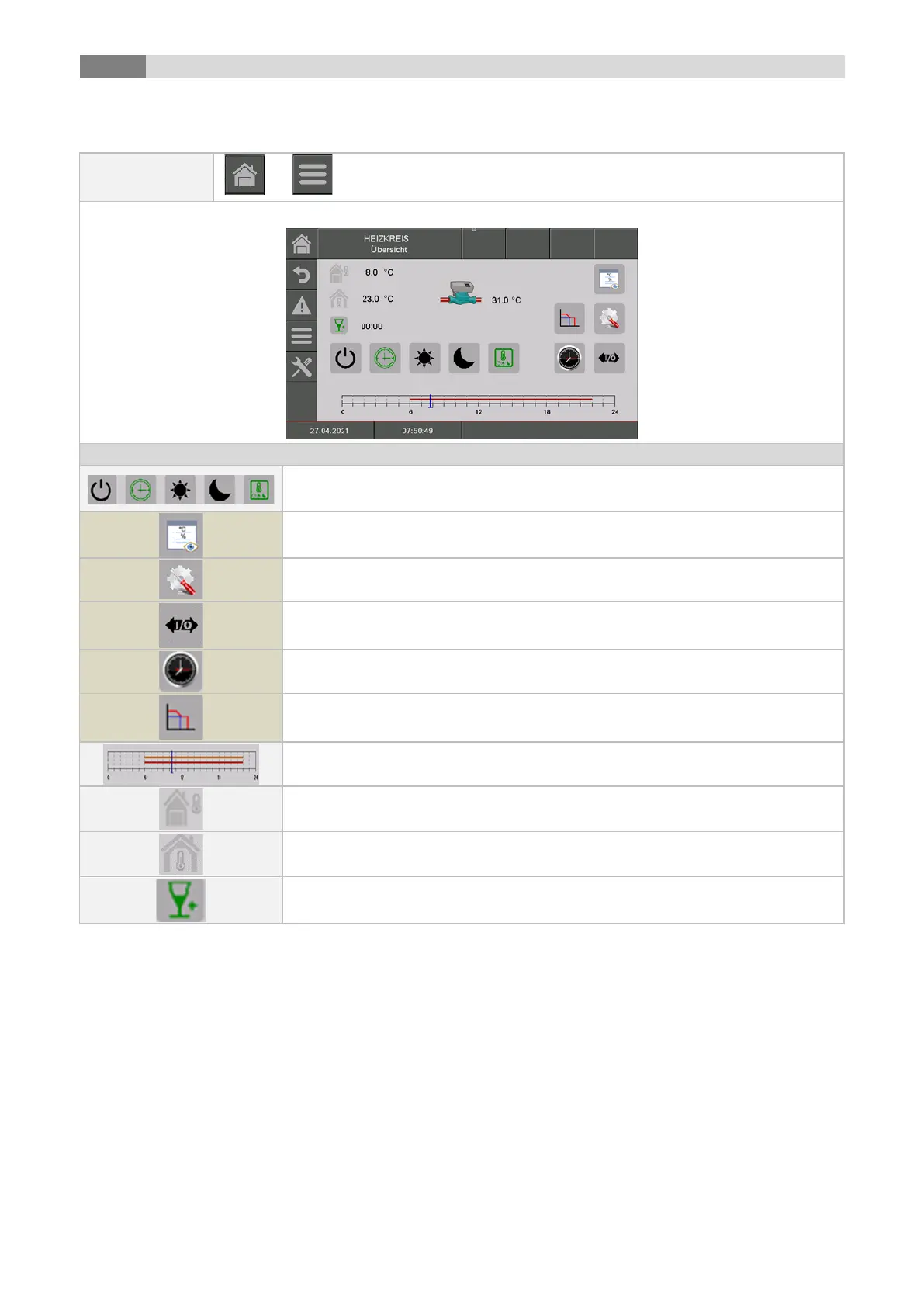
9.12.4 Heating circuit
Selection of the operating mode (for a description, see "Overview of operating
modes")
the „hot water tank status“ menu will be displayed
the menu for the "settings" will be displayed
the menu for the "Aggregate-Test“ will be displayed
the menu for the "time program and barrier times“ will be displayed
Display of the "heating curve"
Display of the set times according to the time program;
the menu for the "time program and barrier times“ will be displayed
Display of current "outside temperature" in °C
Display of current "room temperature" in °C
the heating time is increased in 15min. mode ("party time")



 To Next Page