Menu navigation and adjustment values
63
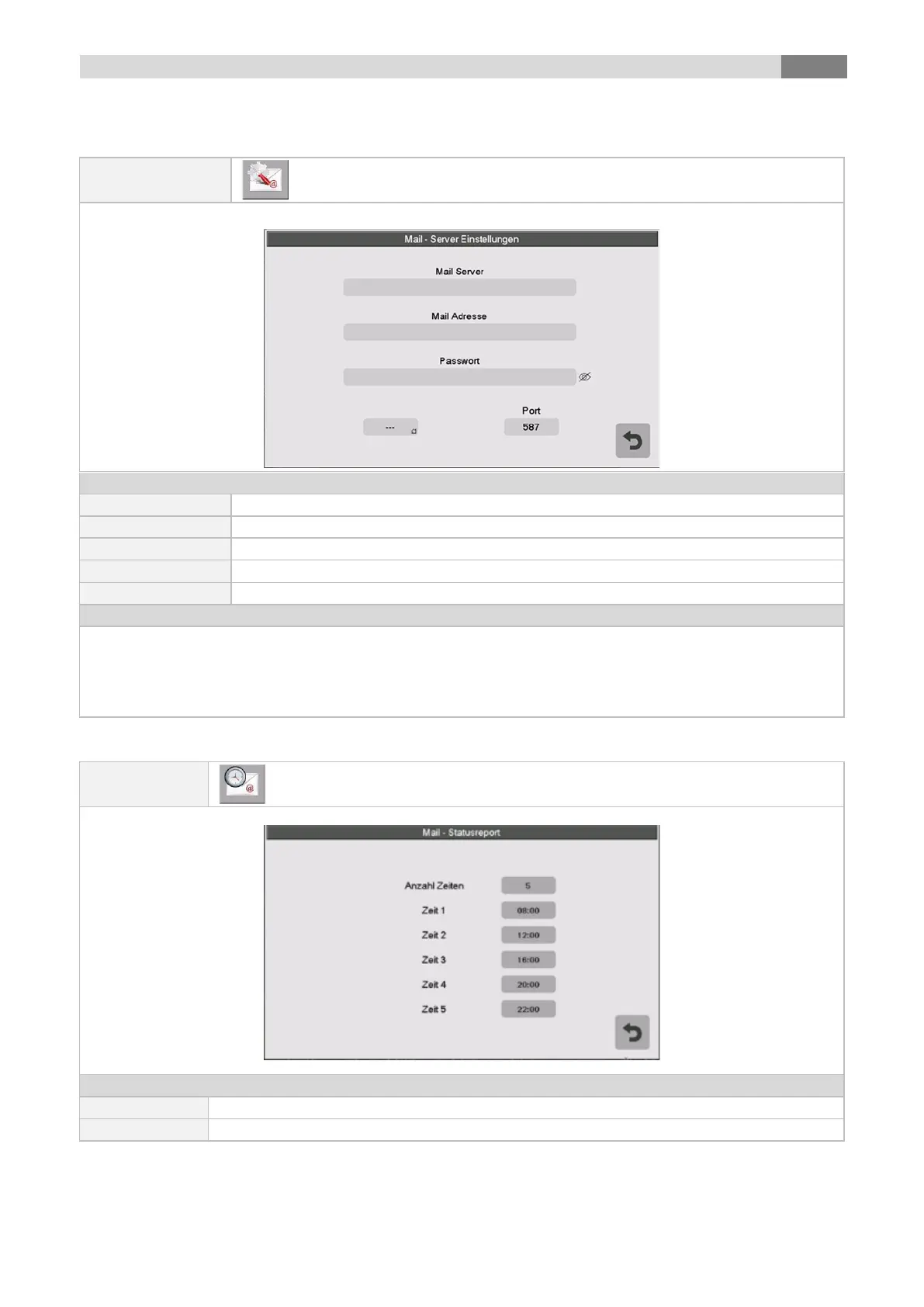
9.13.7 Mail Server settings
the mail server address can be entered (=outgoing mail server)
the boiler’s E-mail address can be entered
the password can be entered
the encoding can be chosen (no, SSL, TLS)
Setting up the TCP port number.
To send mail at the adjusted values (error, warning, information according to capture 10), the boiler has to
have a valid E-mail address. After the successful creation of an E-mail address you can set up the
exemplified values shown in the figure.
Look up the data of the mail server and the port number at your provider (for example GMX). After
successful configuration of the mail server settings the boiler will send E-mail with the set up values
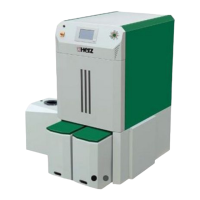
9.13.8 E-Mail status report
the quantity of times (maximum 5) can be set up
individual sending times (error, warning, information) can be set up.



 To Next Page