EasyManua.ls Logo

Herz BioFire 500 - Service Special; Cascade

Default Icon
98 pages
Print Icon
To Next Page IconTo Next Page
To Previous Page IconTo Previous Page
Loading...
9
Menu navigation and adjustment values
64
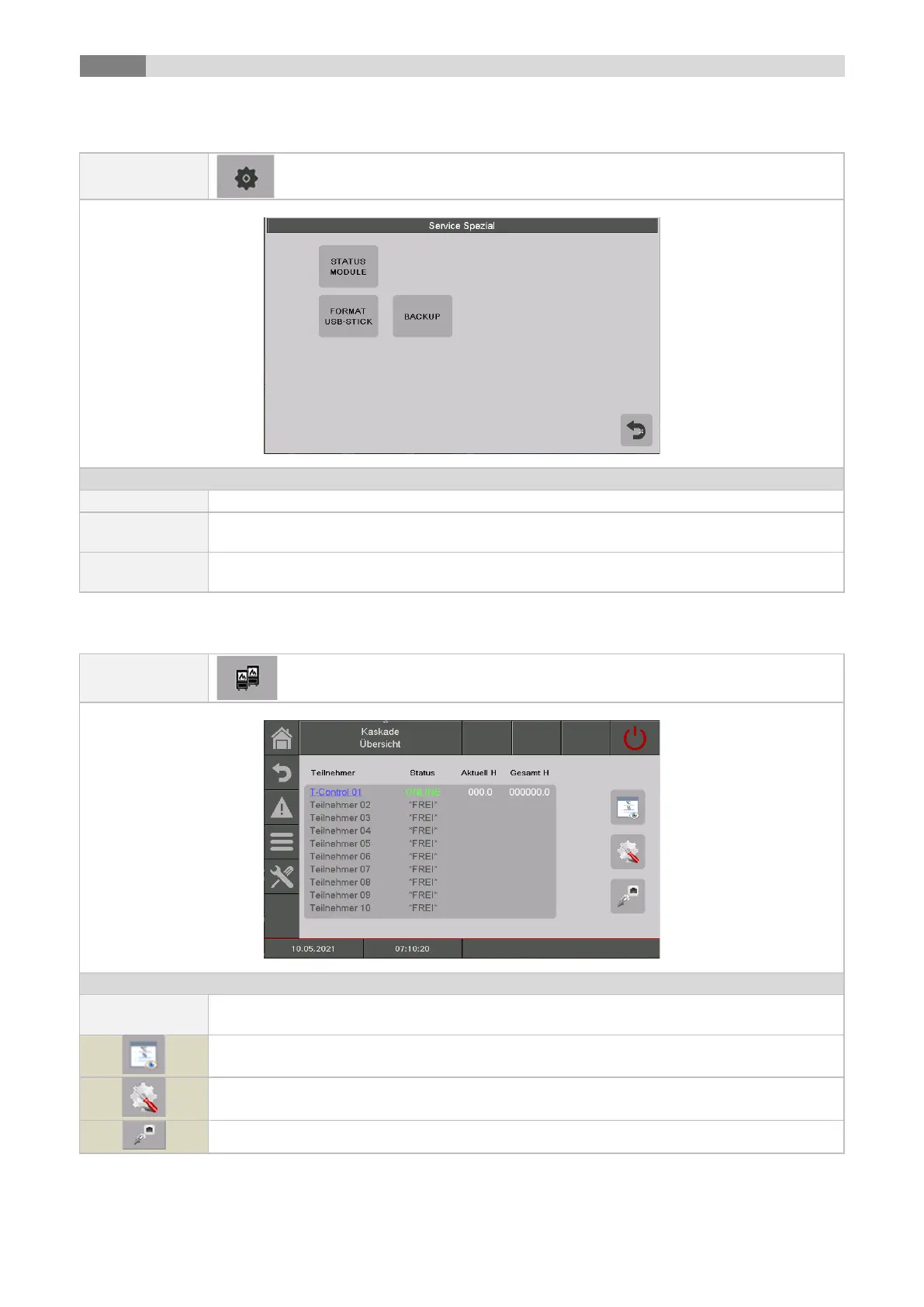
9.13.9 Service special
Navigation:
Screen:
By pressing the button:
Status module
the status of the external modules is displayed
Format USB-
Stick
the USB stick can be formatted.
Backup
a backup can be created. The backup can be stored directly in the control and/or on an
USB-stick.
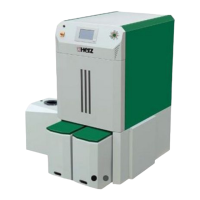
9.13.10 Cascade
Navigation:
Screen:
By pressing the button:
Cascade
overview
Cascade overview shows every cascade user and its actual status and operating hours
within the cascade.
the „cascade status“ menu will be displayed.
the menu for the "cascade settings" will be displayed.
the „cascade network“ menu will be displayed.

Related product manuals