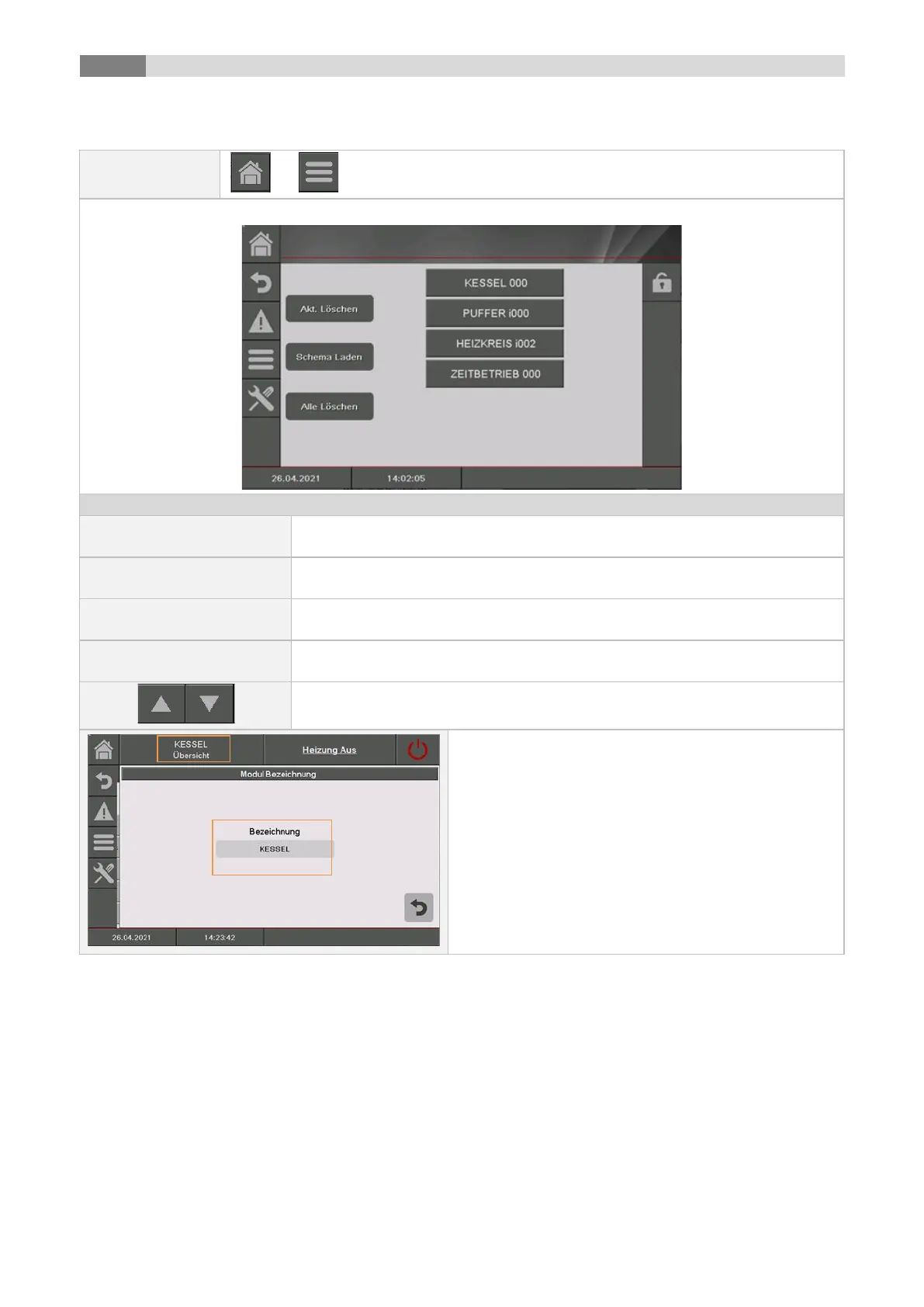
If several modules have been created, you can navigate through the menu of
the modules (up or down).
In the Module overview by clicking on the respective
module name, a separate name (module name) can be
assigned for each module.
To do this, first press the name above. Then click on
the field with the current name. An input window
appears. The desired name can be entered.
In the case of a language change or deleting, the
default name will be restored.



 To Next Page