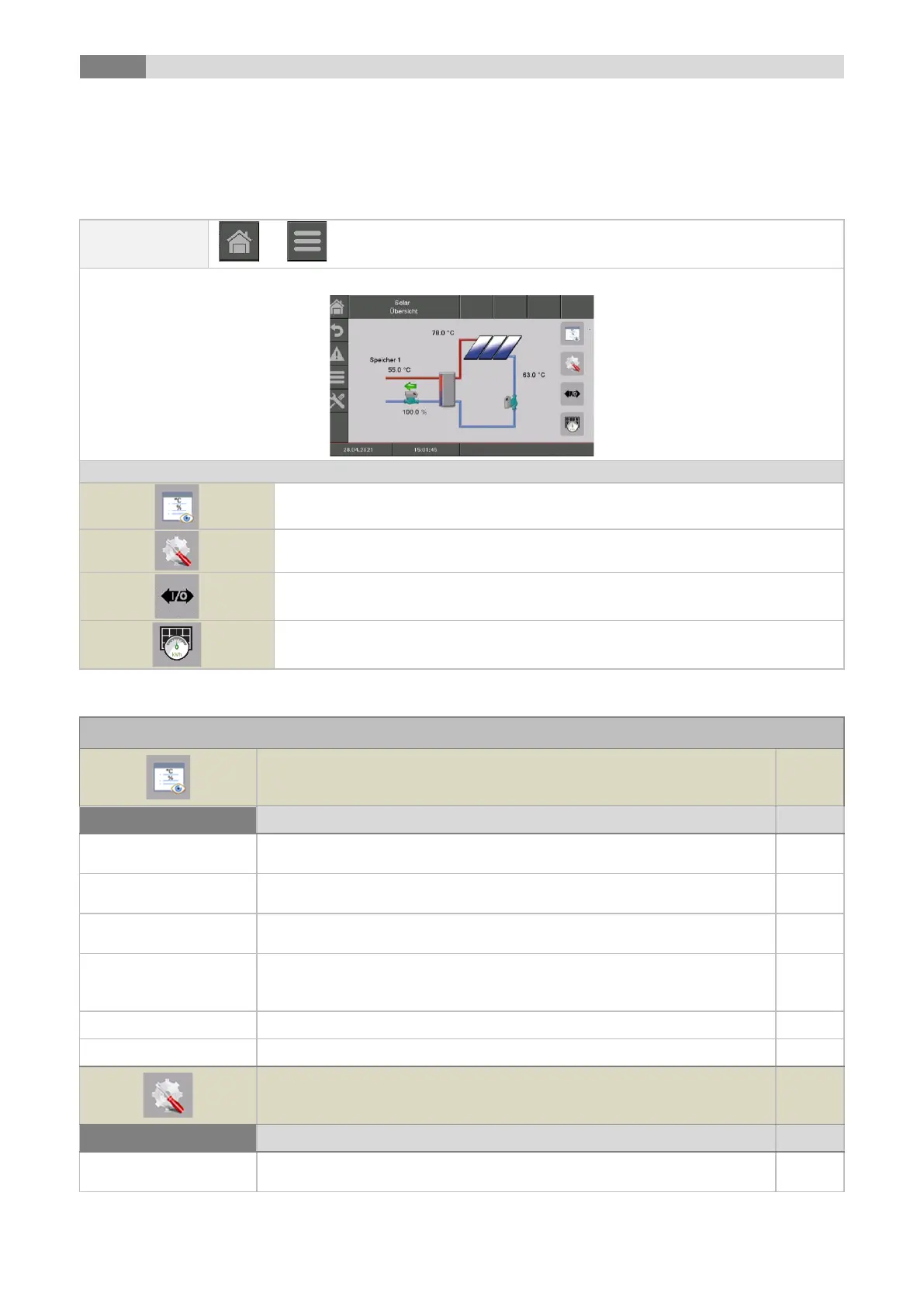
Menu navigation and adjustment values
46
9.12.6 Solar
NOTE: At the solar module 5 resp. 6 (only at external solar module) program numbers are available, which
are set up by the service technician. The only differences of the programs are the integration and the number
of tanks (e.g. hot water tank, buffer). The hydraulic schemes of the different modules are described in
appendix 15.2.
the „Solar status“ menu will be displayed
the menu for the "settings" will be displayed
the menu for the "Aggregate-Test“ will be displayed
the „solar yield“ menu will be displayed
Collector flow
temperature
Indicates the collector flow temperature
Collector back flow
temperature
Indicates the collector backflow temperature
Indicates the temperature of tank 1
(e.g.: hot water tank, buffer)
Indicates the temperature of tank 2
(e.g.: hot water tank, buffer) (only visible, if program 3, 4, 5 or 6 is
chosen)
Indicates the status of the collector pump (On/Off)
Displays the condition of the backflow pump (On/Off)
Setting up the minimum collector temperature (15-70) to startup the solar
pump



 To Next Page